PureWow
CMS | Canvas
Background
PureWow editors currently use a custom CMS (called Admin) to publish all content on PureWow.com. It was built in 2010 by a team of engineers who used default HTML/CSS styling with little-to-no direction from a design team. It allows Editors to perform basic functions like inputting article text and images and adding SEO tags.
Problem
Although the CMS worked well for many years, it was unable to scale with the increased complexity of the PureWow website and has become outdated, slow, and buggy.
Solution
The CMS needed to be redesigned and rebuilt from scratch in order to offer a better user experience for PureWow Editors with their specific workflow and needs in mind.
Existing Experience
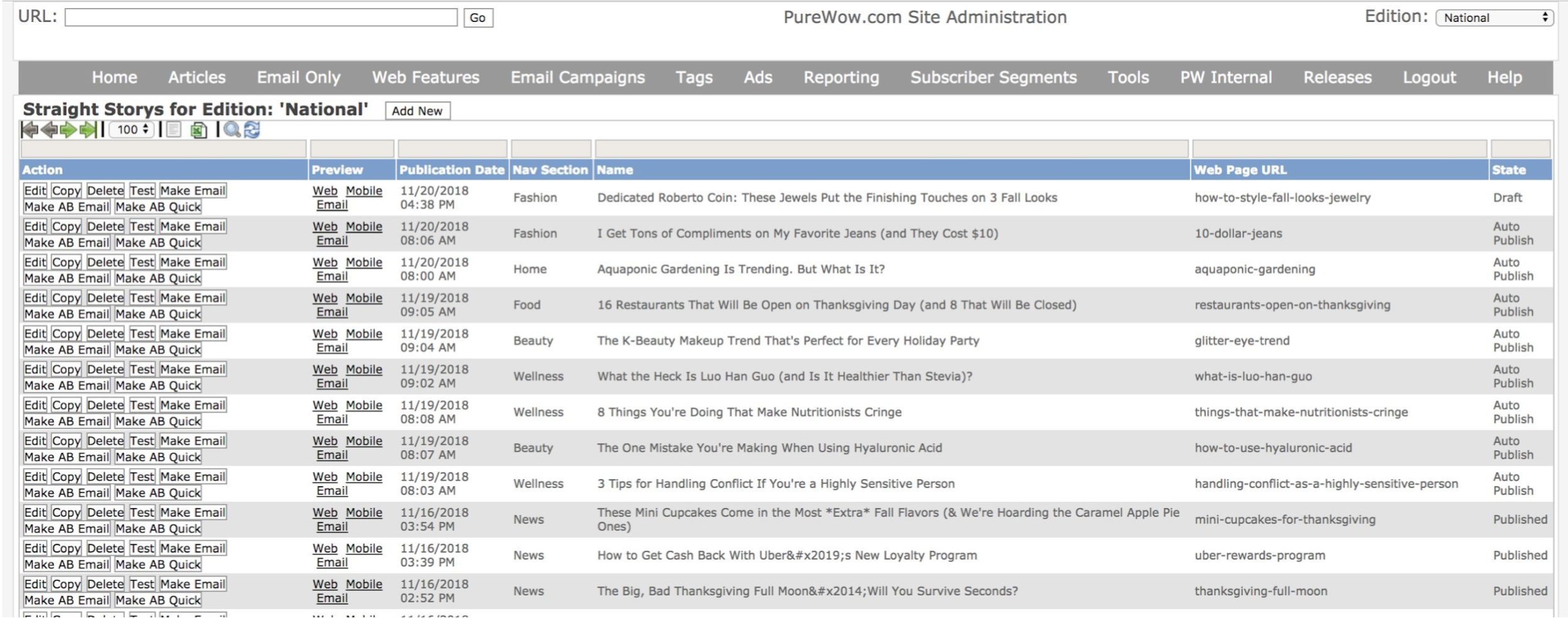
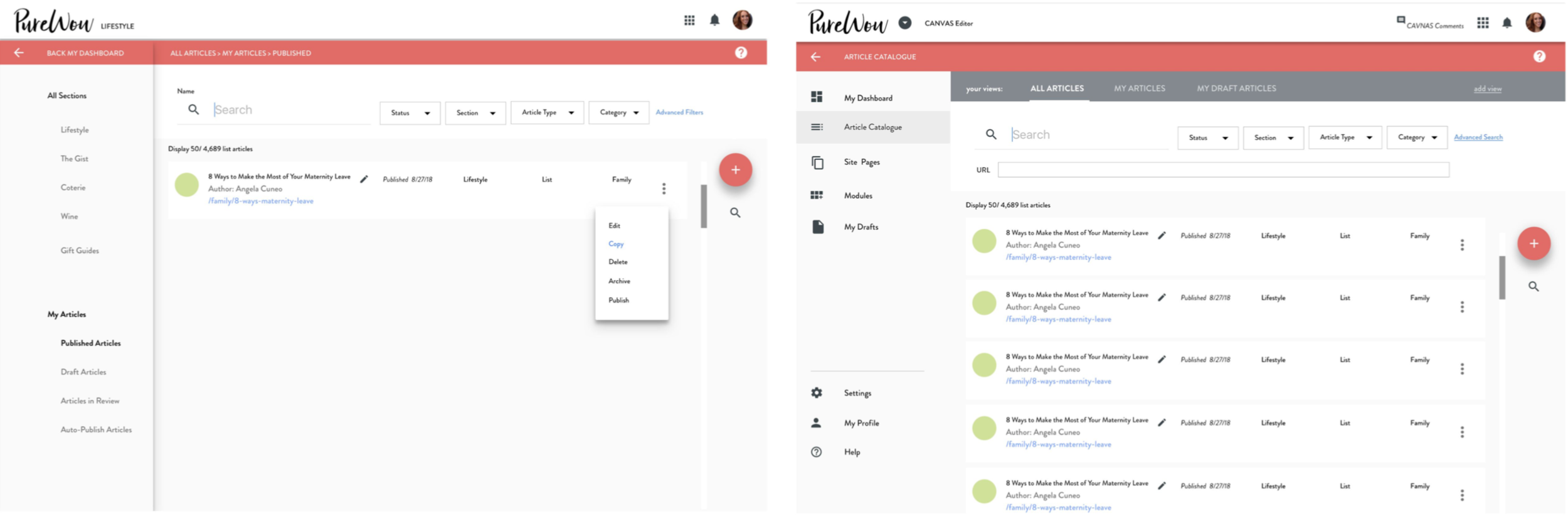
Admin Article Catalog
The UI of the Admin article catalog before the redesign. This UI used default HTML/CSS styles and was built purely by engineers without consulting UX/UI designers. Its focus was on being a functional interface, not a carefully designed one catered to its users.
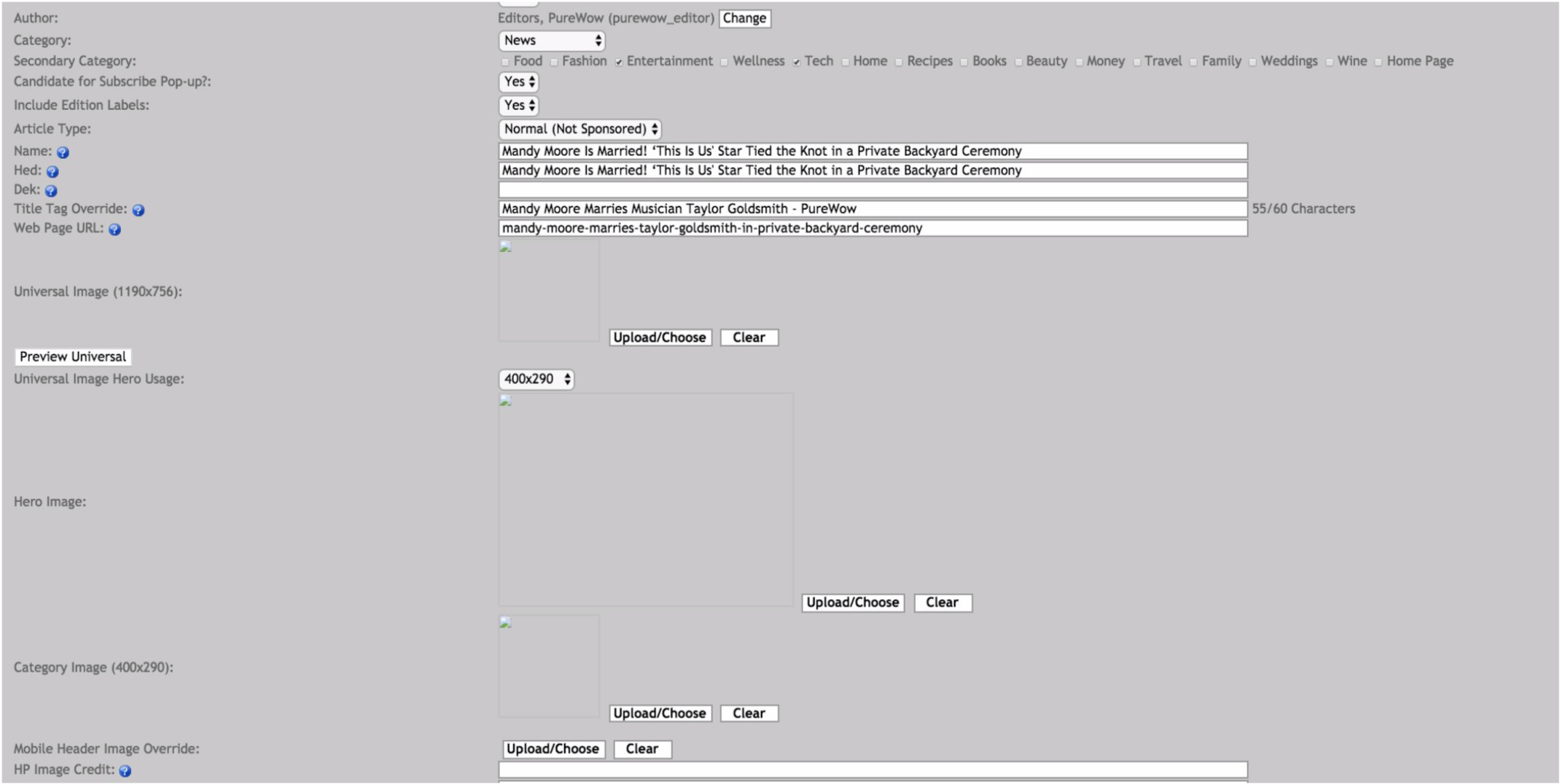
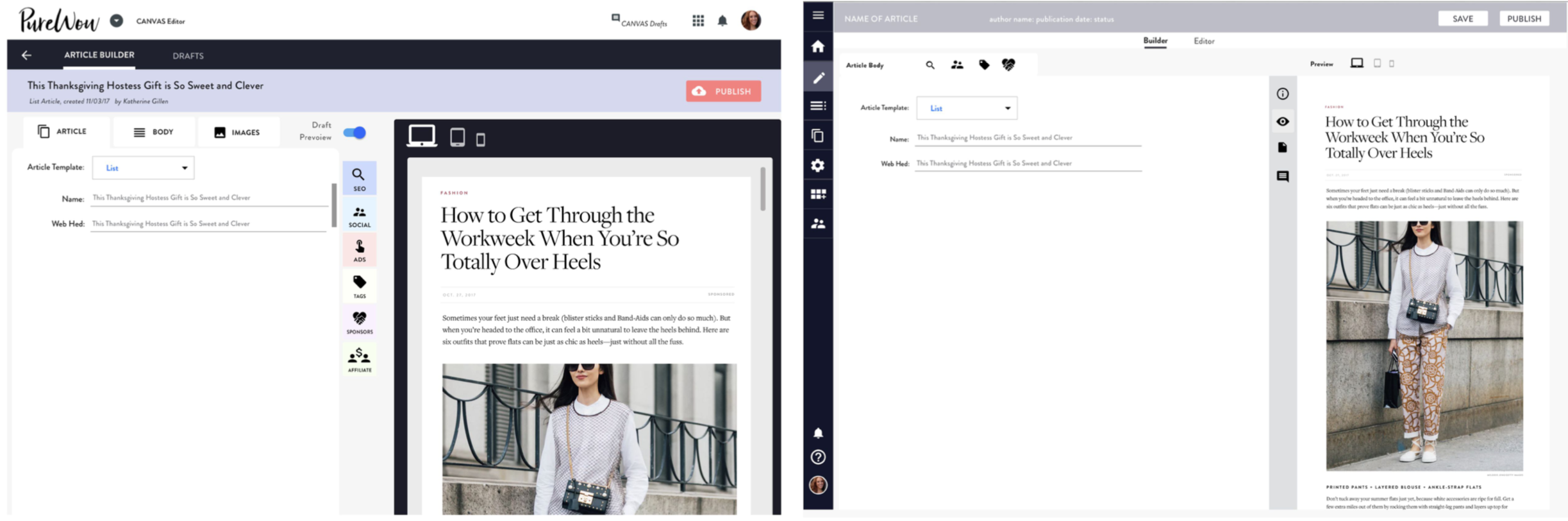
Admin Article Builder
The UI of the Admin article builder before the redesign. The UI was purely functional and used default HTML/CSS styling without any consideration of the UX. This experience was an extremely manual process for PureWow editors and was not catered towards their workflow both within Admin and outside of it.
Users
The PureWow Editorial Team
Team of 20+ editors who write content for PureWow.com and are responsible for inputting all of the article content into the CMS.
Input 5 articles per day.
Articles range from 5 pieces of content to 100 pieces of content.
Manually copy and paste text into the CMS and upload images one-by-one.
Are comfortable with their current workflow and don’t want to deviate too much from it.
Need Canvas to compliment their workflow, streamline it, and make it quicker.
User Pain Points
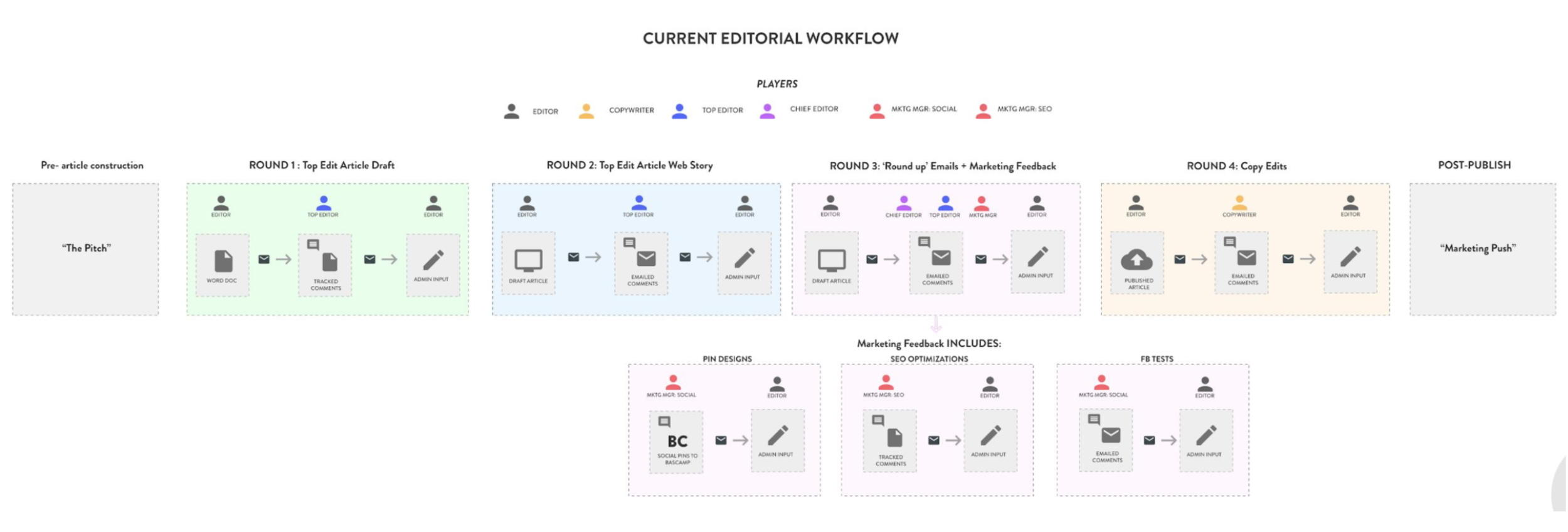
The current workflow for PureWow editors is complex: it occurs across multiple platforms, including Microsoft Word, Email, Google Docs, and Admin.
Goal
Seamlessly integrate Canvas into this workflow, and bring as much of the workflow into Canvas as possible.
The Problem
Disjointed publishing workflows and platform fragmentation reduced operational efficiency and increased editorial overhead.
Manual, component-based content assembly constrained scalability and slowed time-to-publish.
Limited drafting visibility impaired quality assurance and stakeholder alignment.
Ongoing performance and stability issues hindered productivity and platform reliability.
Current Editorial Workflow
How Might We?
How might we allow Editors to complete more parts of their workflow within Canvas?
How might we automate the process of inputting content into Canvas?
How might we make the process of inputting articles more visual and user friendly?
How might we allow Editors to preview their articles while they’re drafting them?
How might we create a product that can continue to scale as PureWow adds more features and brands?
Canvas Overview
Canvas Article Catalog
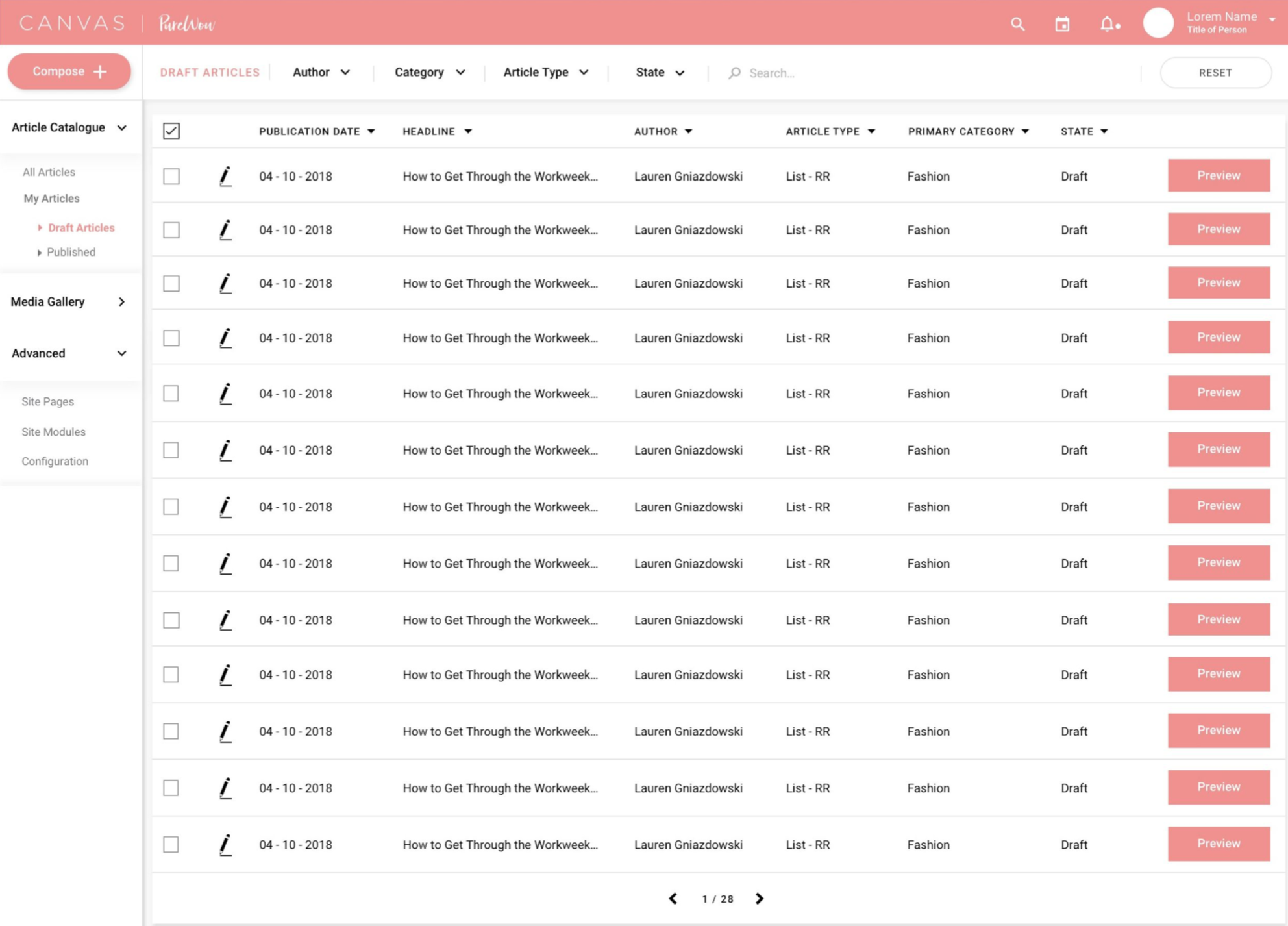
The Article Catalog is the list of articles all of the articles on PureWow.com in all publishing states (Draft, Scheduled, Published).
Canvas Article Builder
The Article Builder is the interface that Editors use to input article content.
Key Features
Article Catalog (sorting, searching, filtering)
Article Builder (text input / image upload; integration with SEO tags, ads, social channels)
Google Doc integration
Article Preview
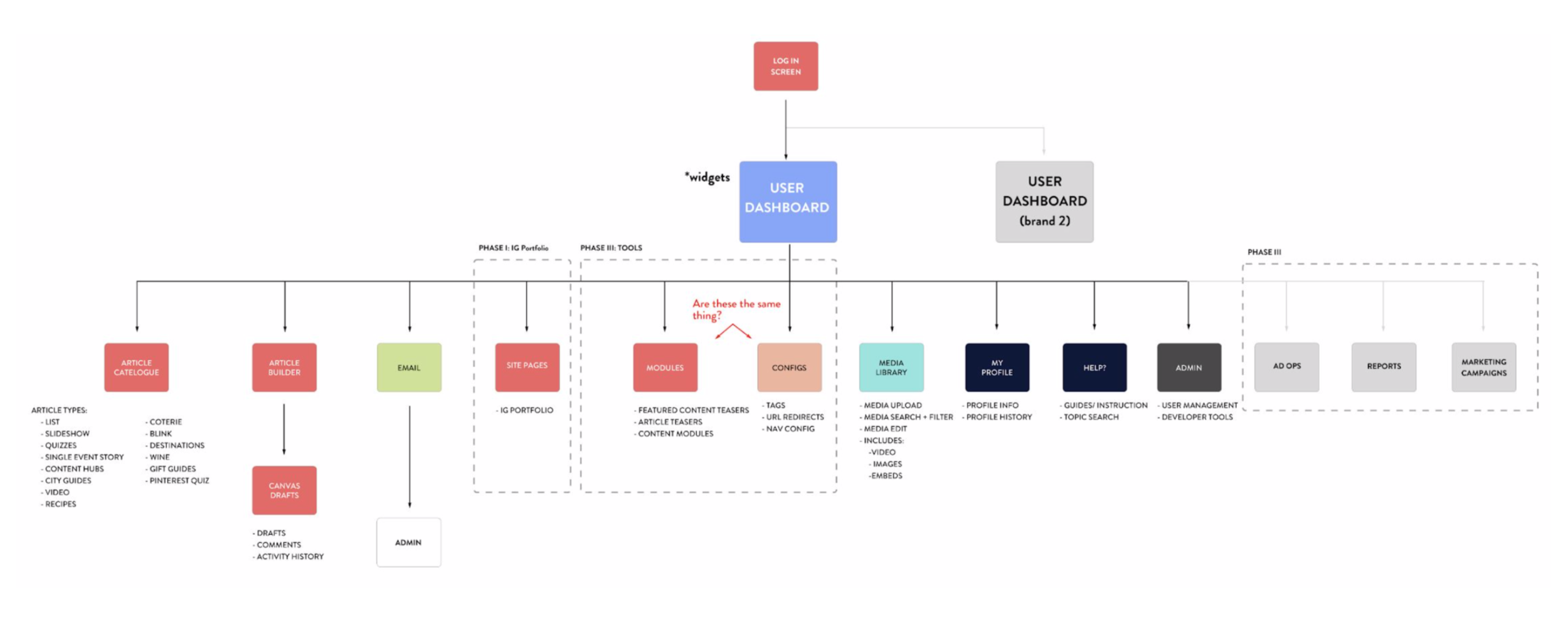
Canvas User Flow
An updated editorial user flow that integrates Canvas.
Wireframes
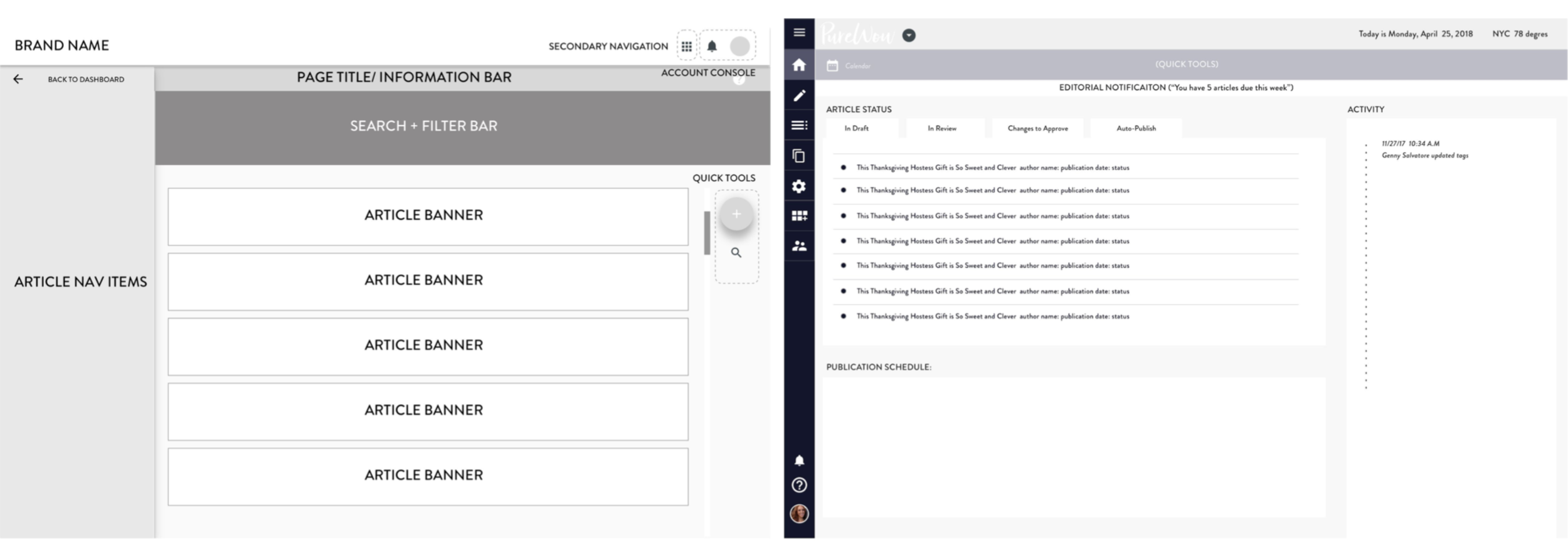
Article Catalog Wireframes
Sorting
Searching
Filtering
Article Builder Wireframes
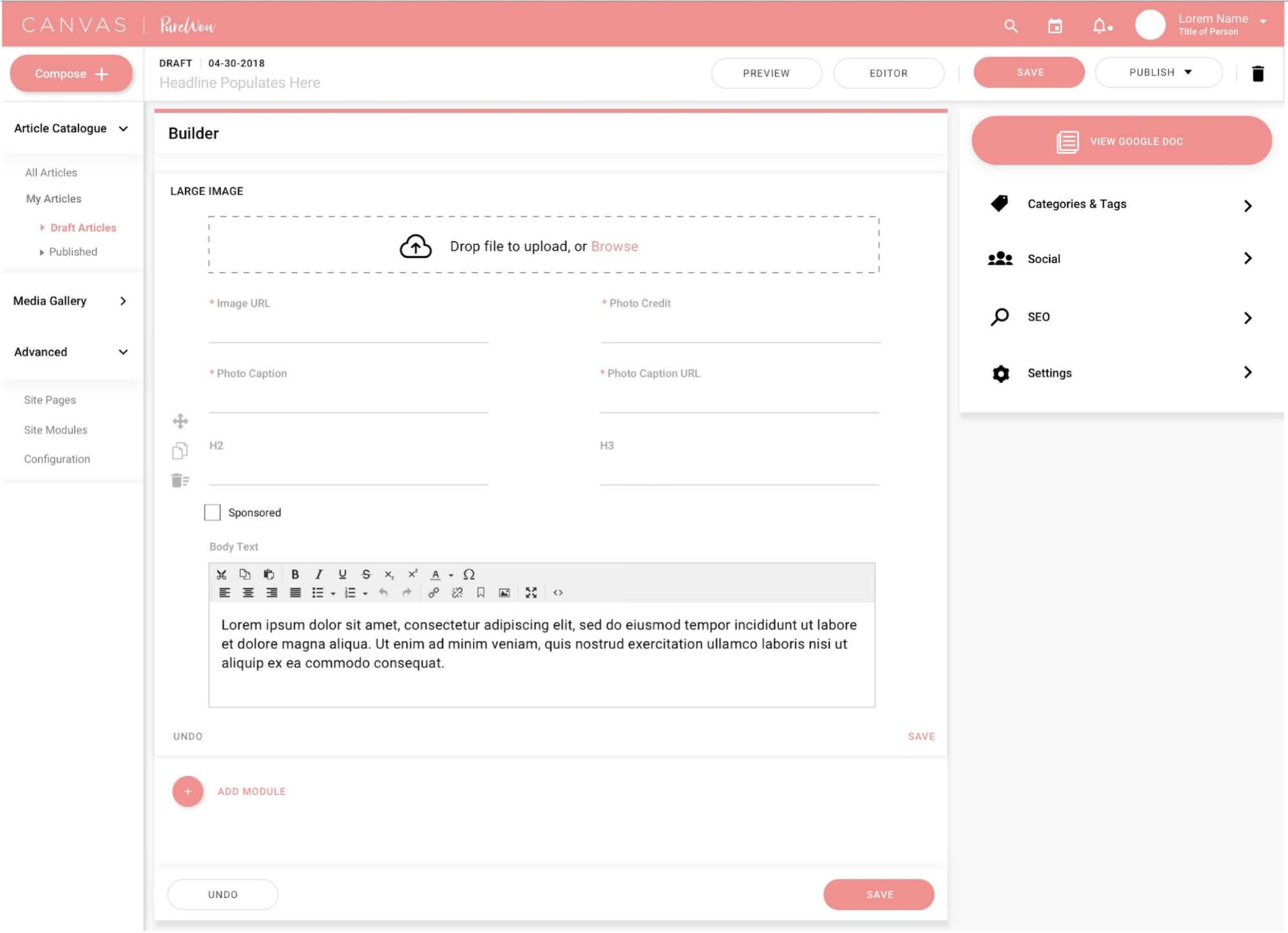
Text input and image upload
Integration with SEO tags, ads, and social channels
Google Doc integration
Article preview
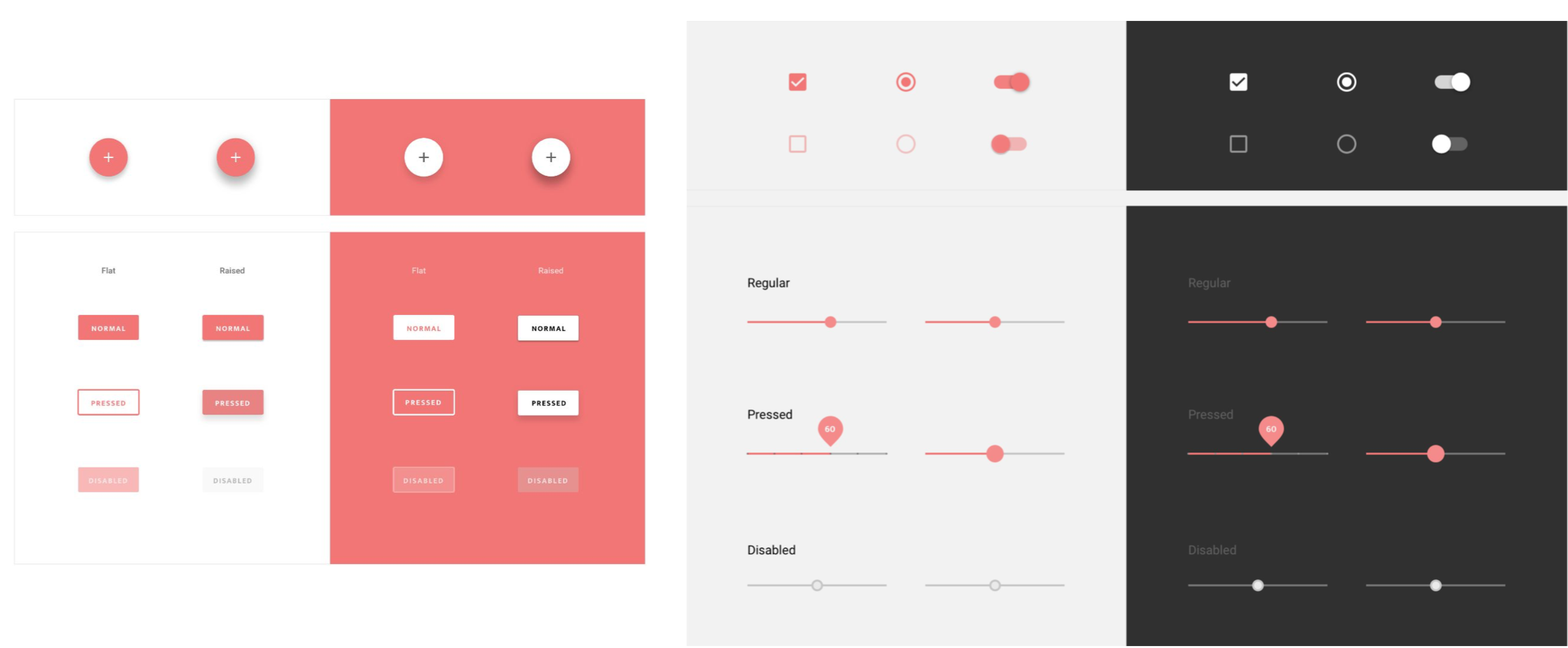
Establishing a Design System
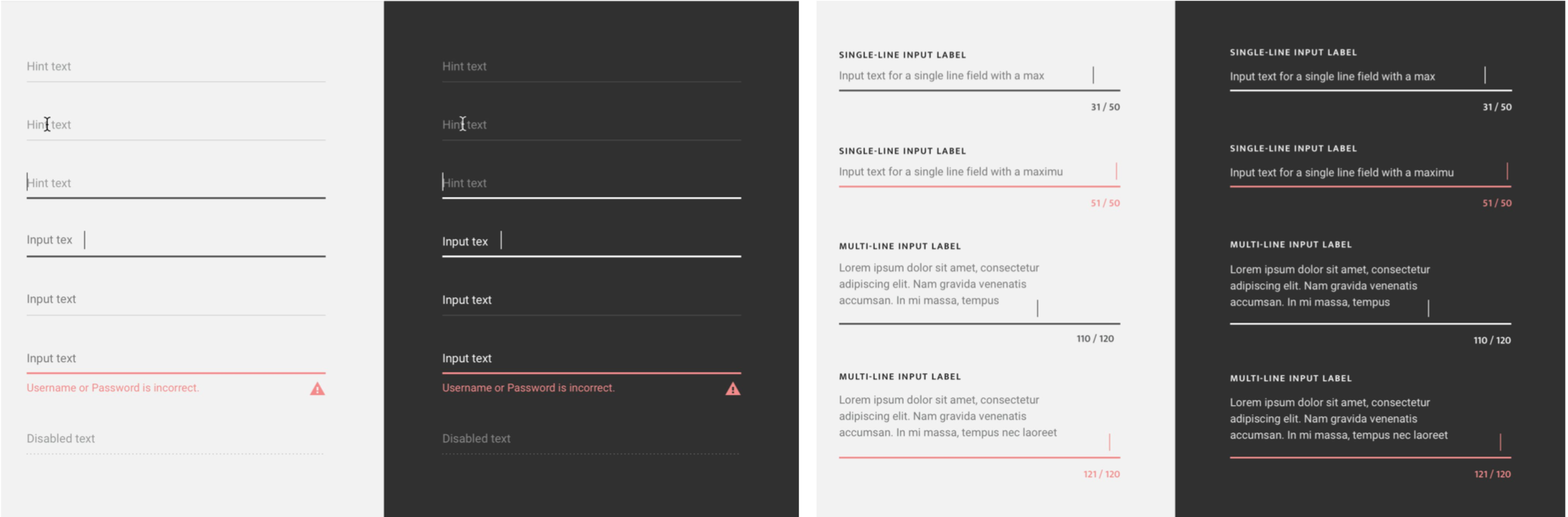
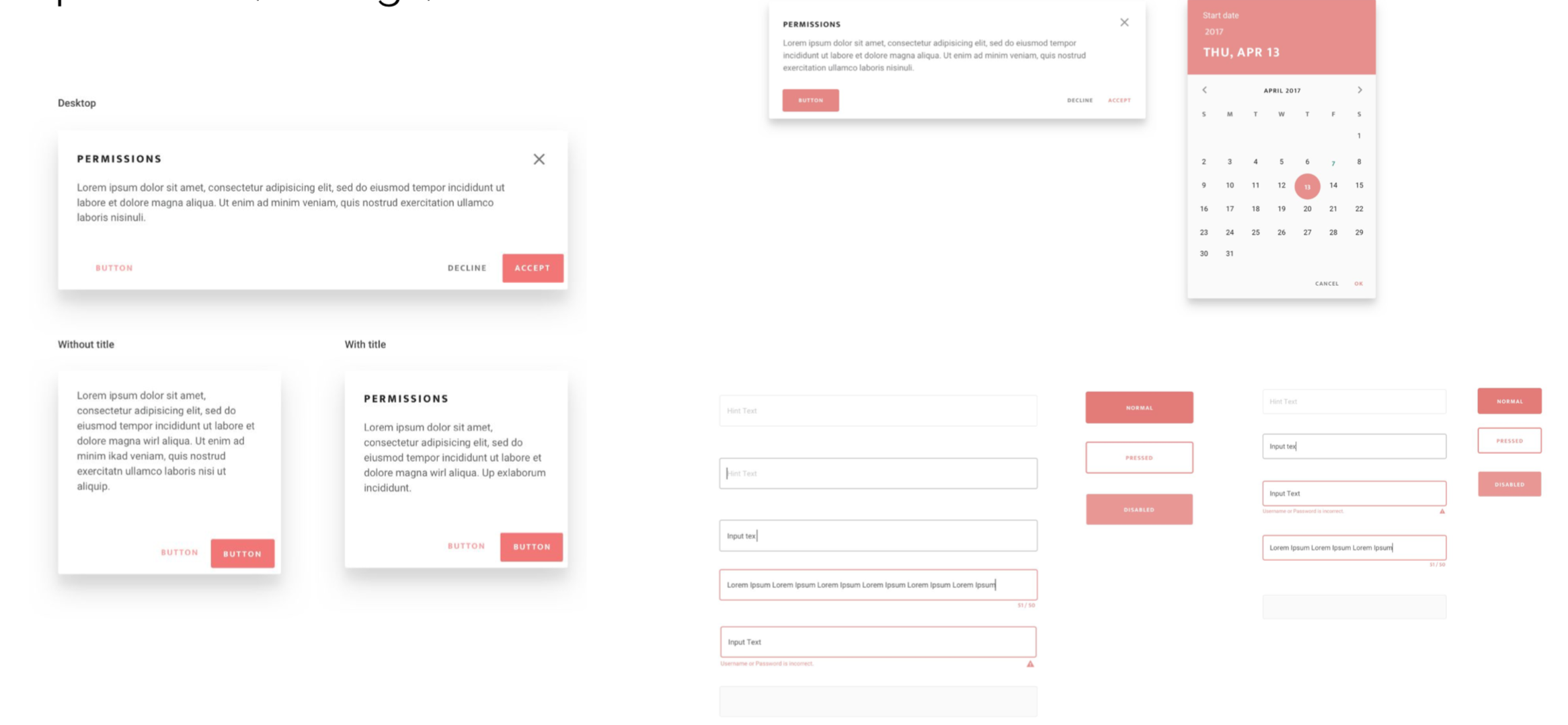
After the initial wireframes, it became clear that we needed to establish a design system and pattern library for Canvas. The branding for our consumer-facing website was not sufficient for an internal user tool like Canvas. Using Google Material Design as a starting point for components and interactions, we layered our branding on to the components needed for Canvas. This proved to be an efficient way to design and build Canvas.
High Fidelity Prototypes
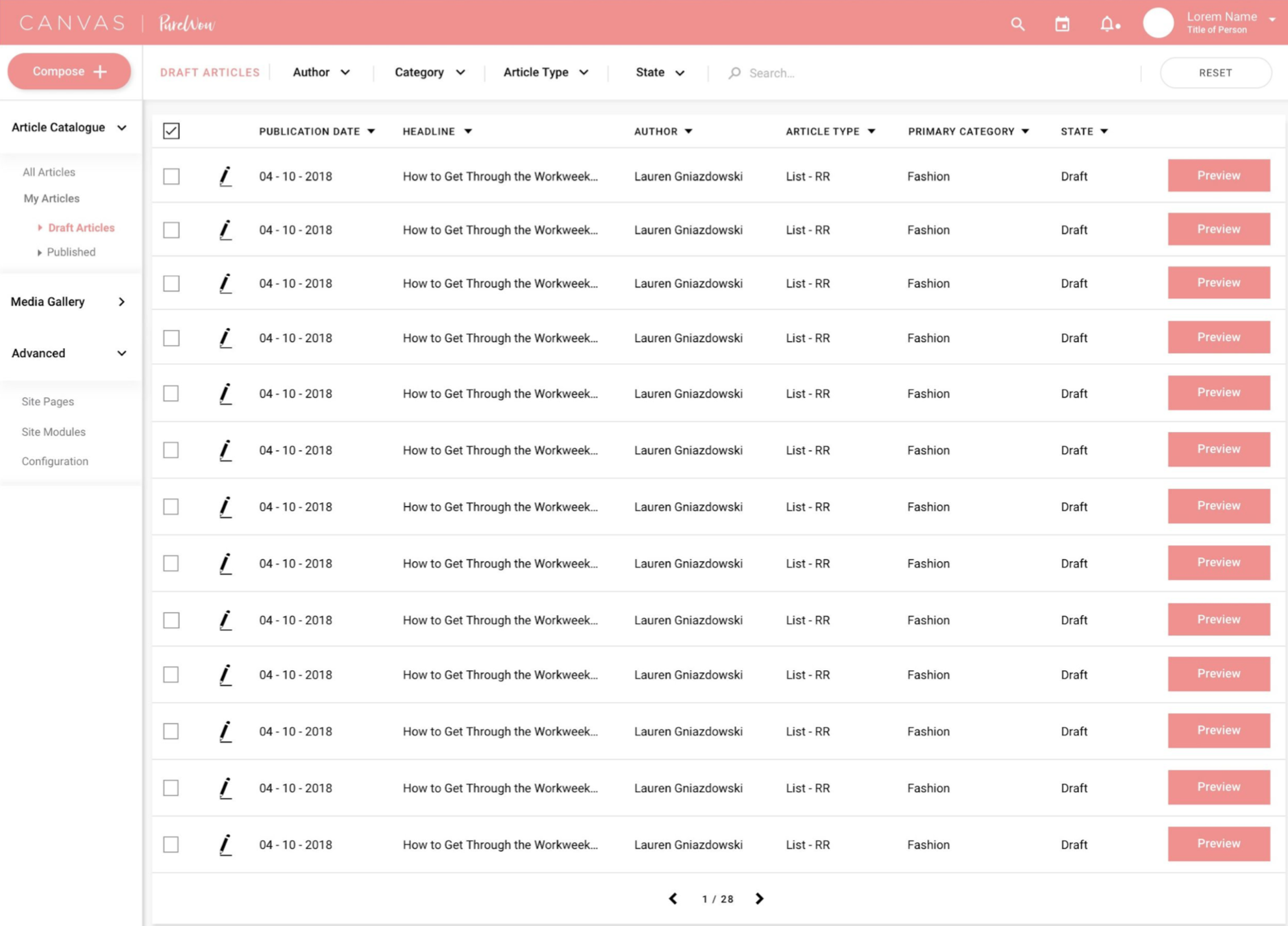
Article Catalog
With a design system and pattern library in place, the high fidelity prototypes for the article catalog and article builder came together fairly quickly.
Article Builder
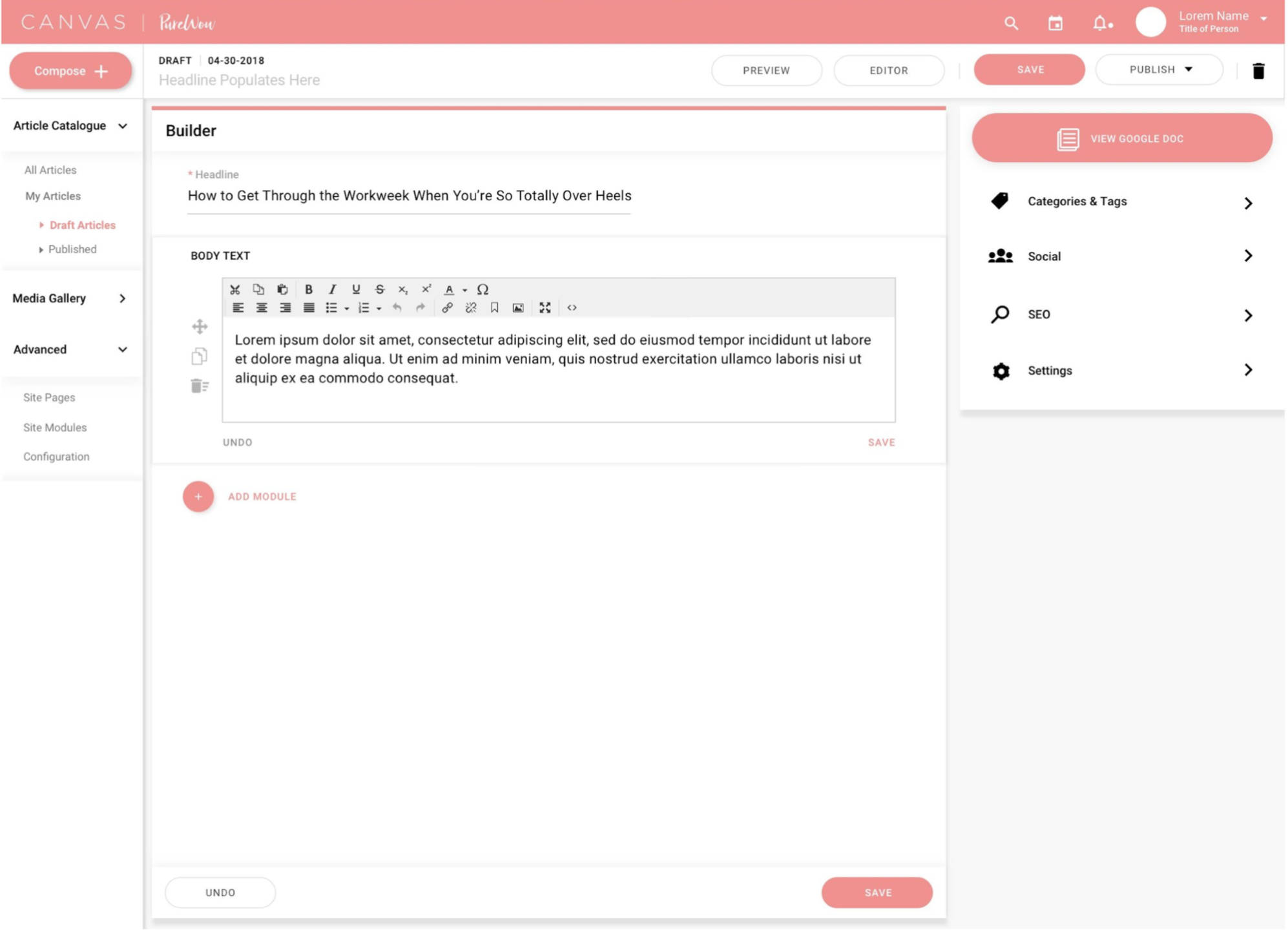
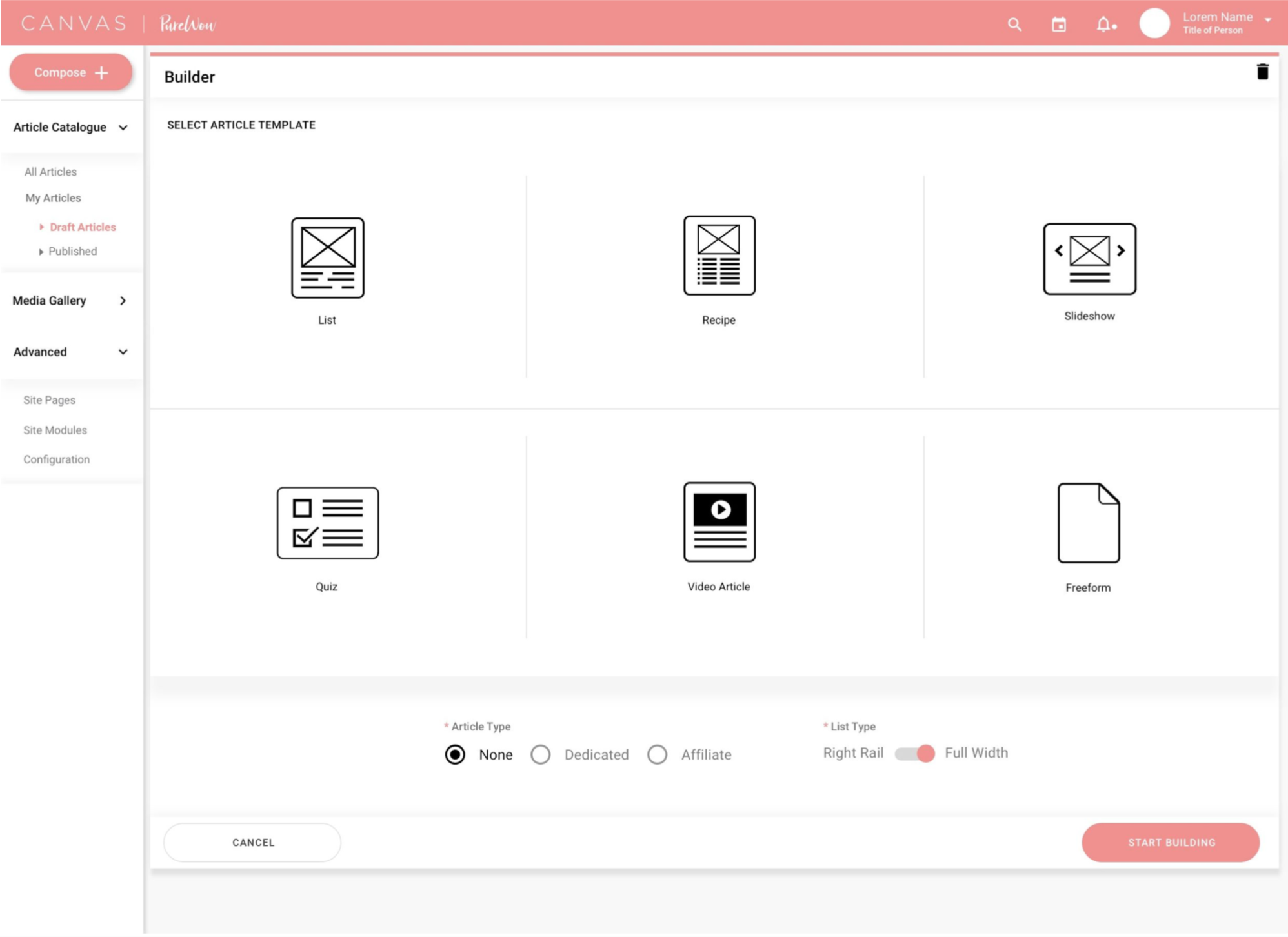
The article builder UI also came together fairly quickly after we established the Canvas design system.
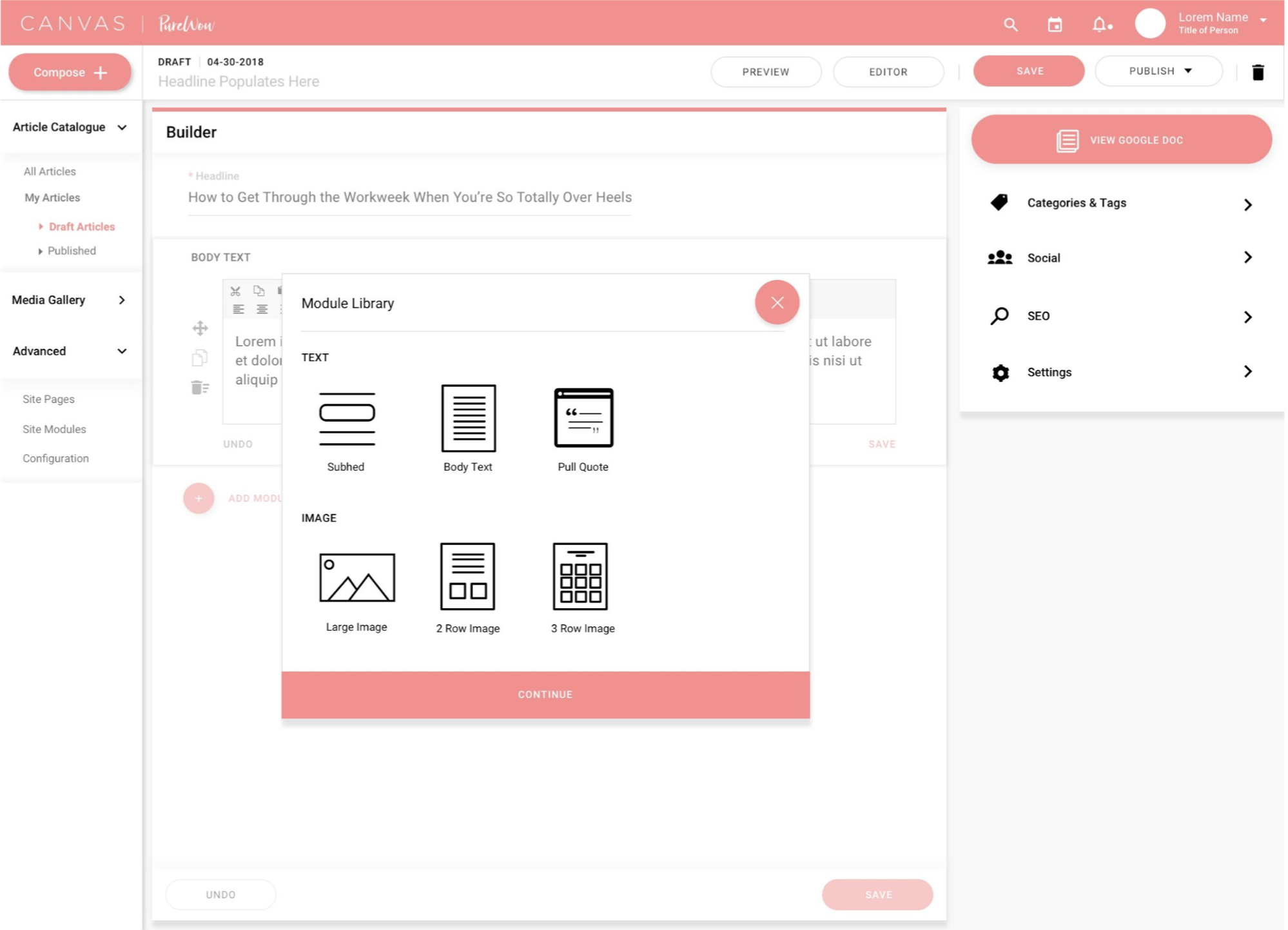
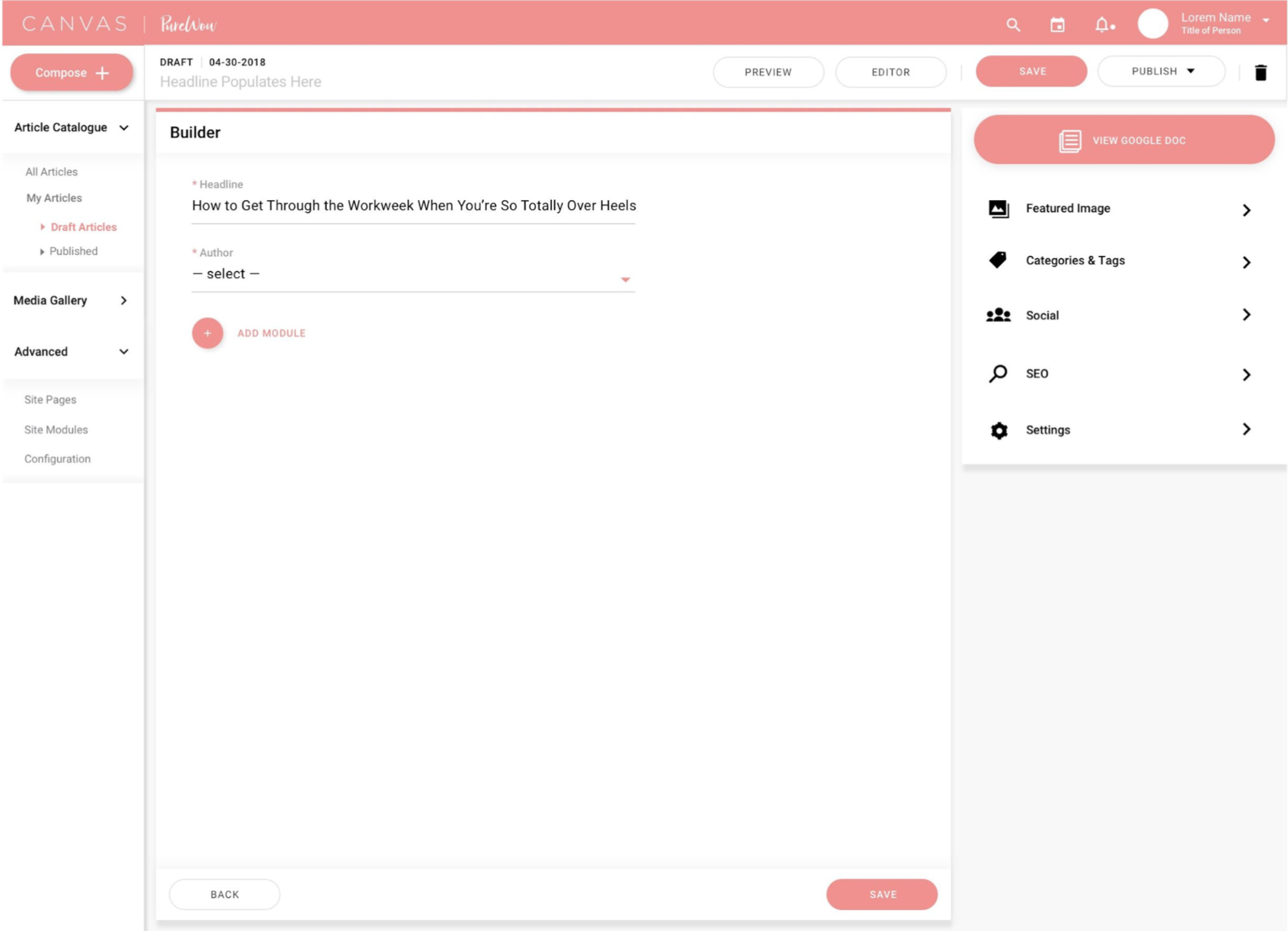
The goal of the builder was to provide a single page where all of the activity that goes into building an article can occur. The following screens show a simple flow for an editor building an article.
Integrations
Google Doc Integration
It was very important to PureWow’s editors to be able to view the Google Doc that had the raw copy for the article within Canvas. This way, it’s easy for the editors to copy and paste content directly from the Google Doc to Canvas.
Backend Integration
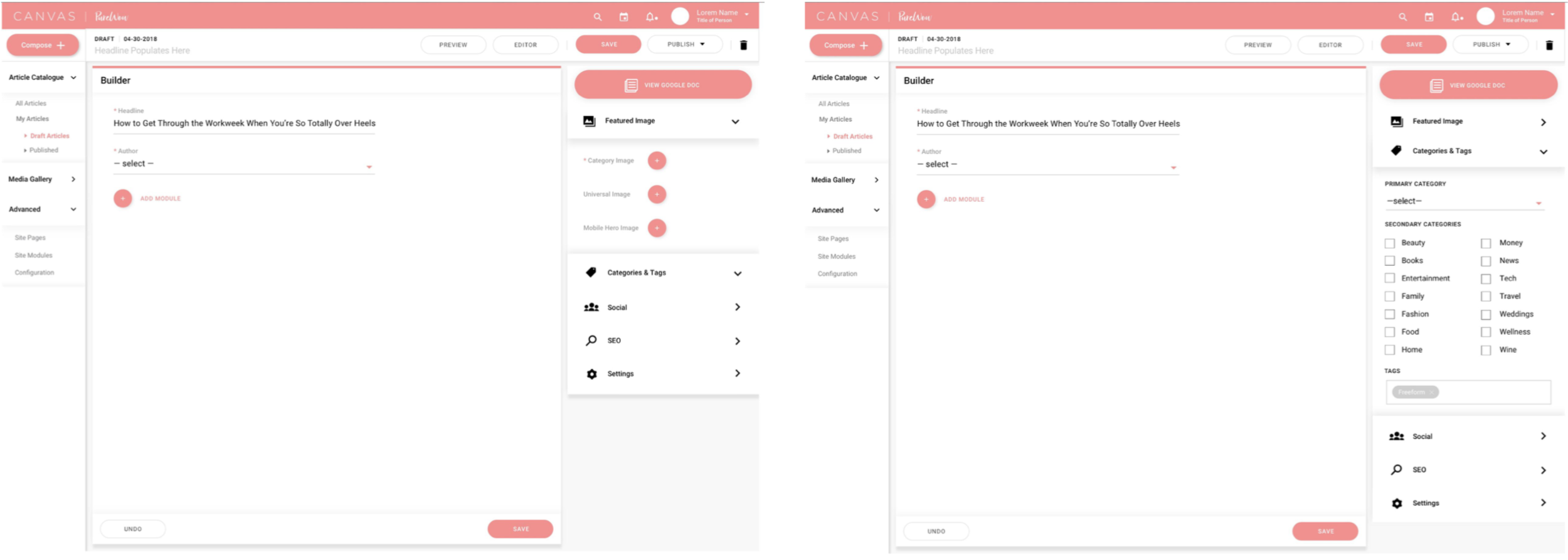
Editors can easily input any back end information like social and SEO tags, thumbnail images, etc.
Modular Design
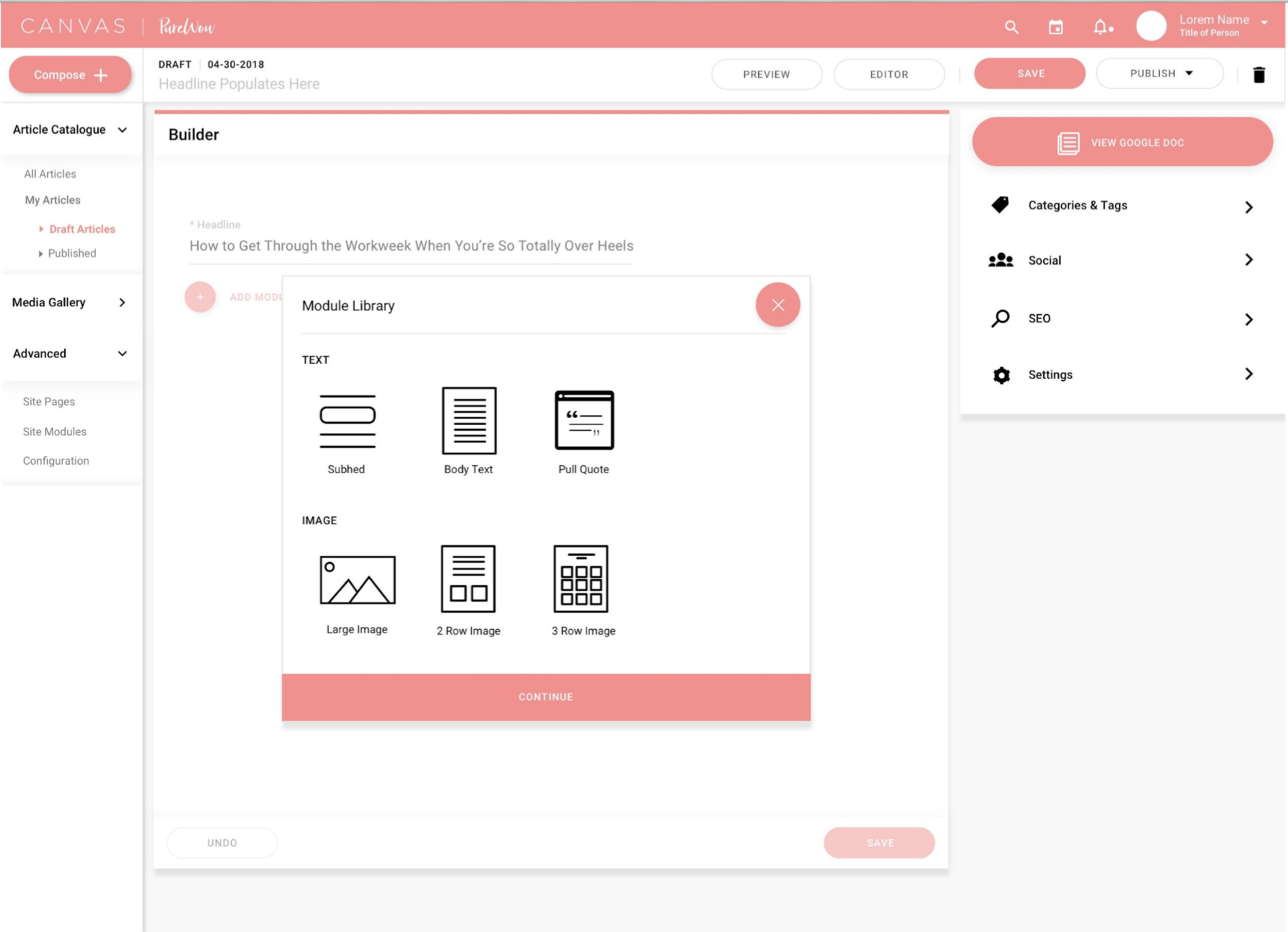
In order to streamline the manual process of inputting article content, we came up with a modular approach to the design. At any given time, an editor can select which article component they want to add next. Technical parameters are in place to prevent a situation where, for example, an editor might try to accidentally add 5 subheads in a row.
Customizable
It was also very important to make this experience extremely customizable. In some cases, editors will be adding 100 pieces of individual content to an article. If they ever needed to duplicate a piece of content or reorder content, they had to start over. In Canvas, they can easily duplicate components, drag and drop components, and delete components.