Curalate
Instagram Dashboard | Onboarding Experience
The Instagram Dashboard on the Curalate web application houses all of your information about your Instagram account. You can view metrics and analytics, promote a post, track hashtags, explore media, and schedule posts.
Why Focus on Instagram Onboarding?
The onboarding experience is the first interaction that clients have with Curalate’s platform.
The easier it is to set up, the sooner they’ll see the value of our platform.
Connecting Instagram activates a large part of the Curalate platform (the Instagram Dashboard), so it’s a big step in getting users to be fully activated within Curalate as a whole.
Personas
Social Media Manager
Manages the brand’s website and social media channels (Instagram, Pinterest, etc.)
Often the sole Curalate user on their team and wants to maximize the value of the platform
Looking to connect Instagram or Pinterest directly to unlock platform capabilities
Typically does not have a dedicated Customer Success Manager (CSM) for guidance
May not fully understand the benefits of Instagram integrations or setup process
Often not fully up to date on Facebook and Instagram Business Account tools, creating friction during onboarding and connection
Enterprise / Mid-Market Social Media Manager
Has a dedicated CSM, but doesn’t want to rely on them as heavily to get activated.
Problem Statements
Inefficient First-Run Onboarding
The current Instagram onboarding experience does not efficiently guide new users to full activation during their first-run experience.
Unclear Dashboard Value & Activation Path
Users are not consistently understanding the value of the Instagram Dashboard or taking the key actions needed to become fully activated.
Goals
Decrease Churn
The flow needs to be streamlined so users can quickly understand the product and complete the key steps required to get started.
Outcome: Increase the number of clients who complete all of the Instagram Dashboard set-up steps in order to lower our churn rate.
Frictionless, Self-Guided Onboarding
The experience needs to better communicate the dashboard’s value while guiding users toward the behaviors that drive activation.
Outcome: Establish strong design patterns for the Instagram Dashboard onboarding experience that can be applied to onboarding throughout the rest of Curalate’s web application.
Current Experience
Pain Points
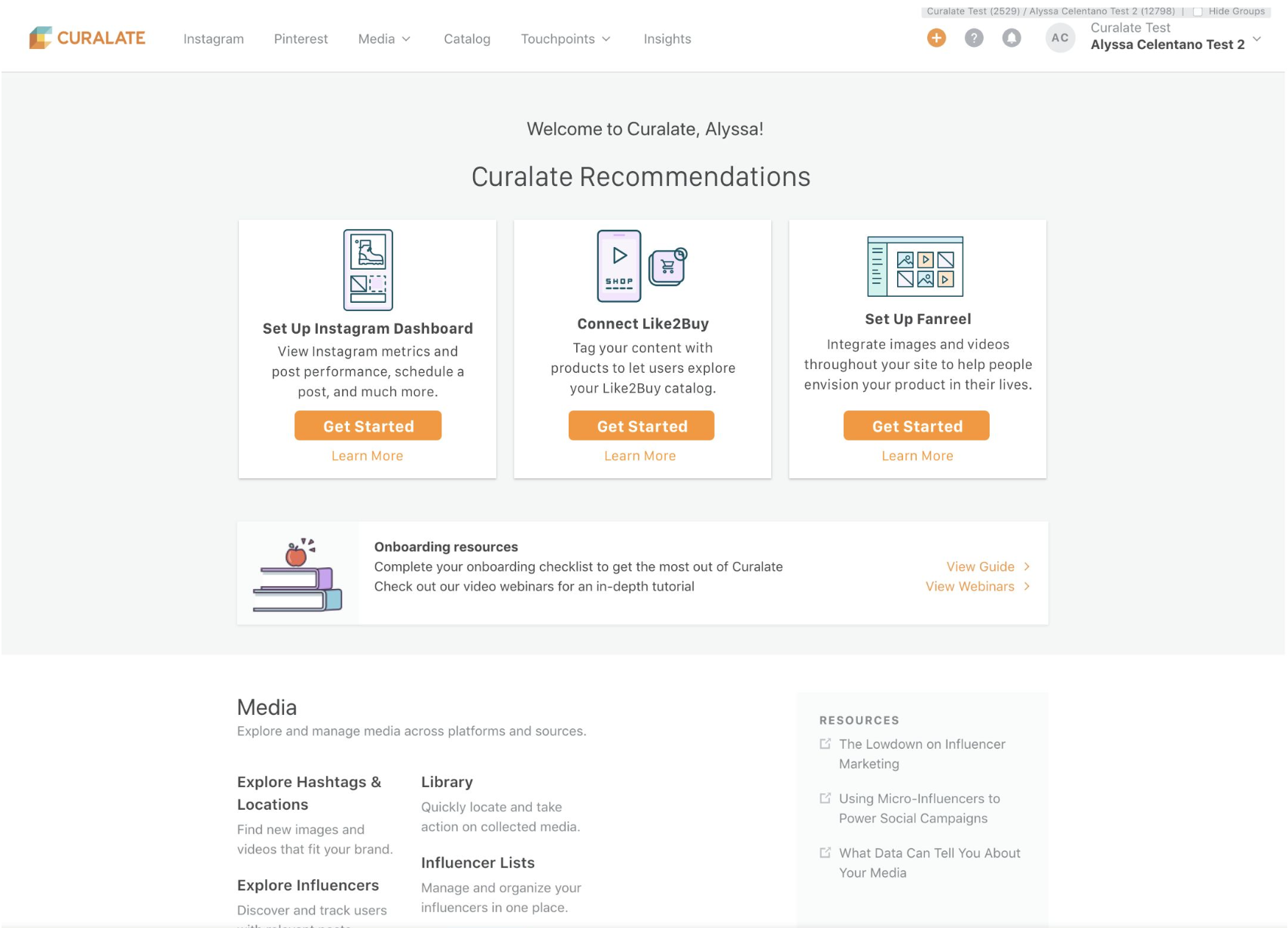
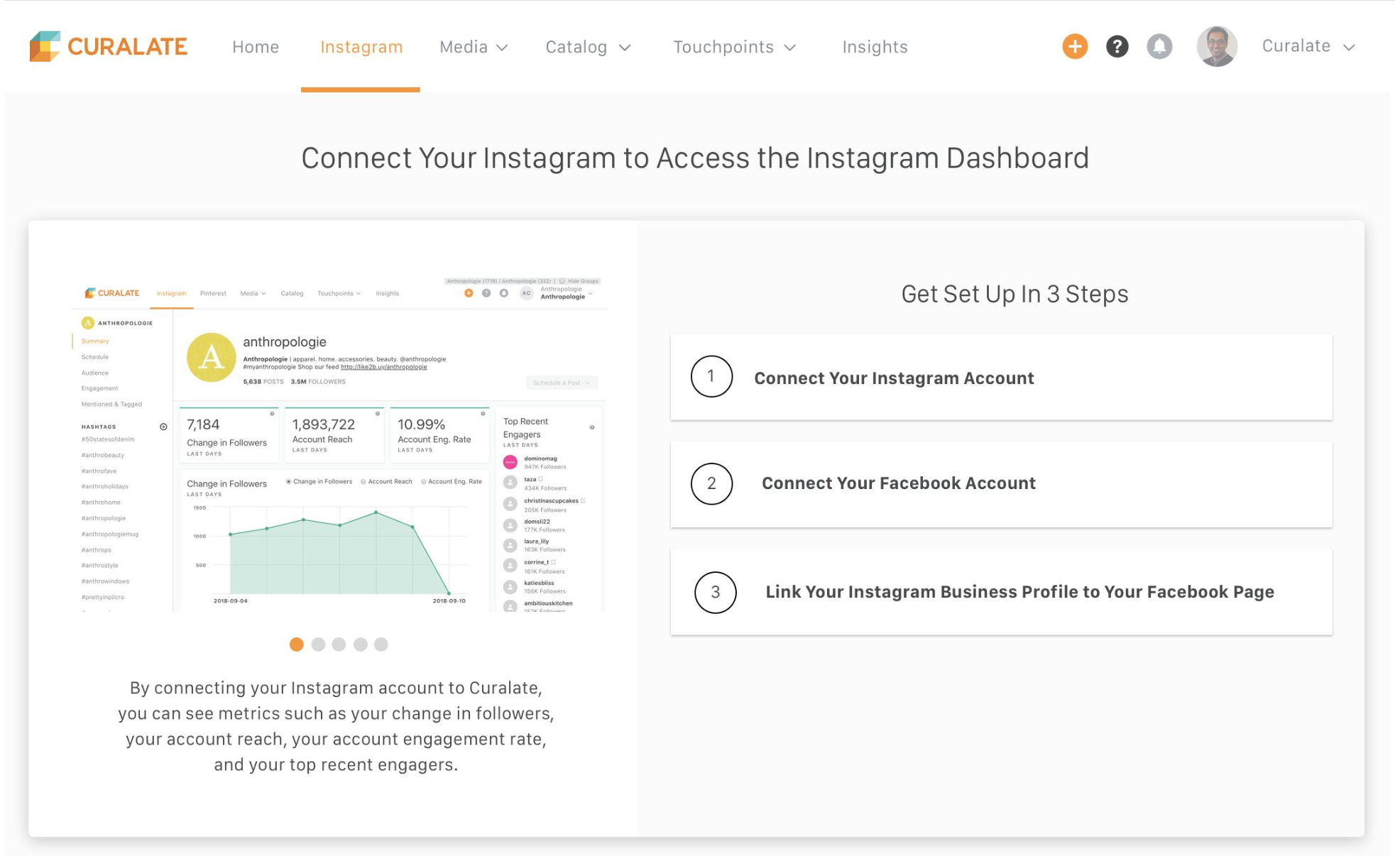
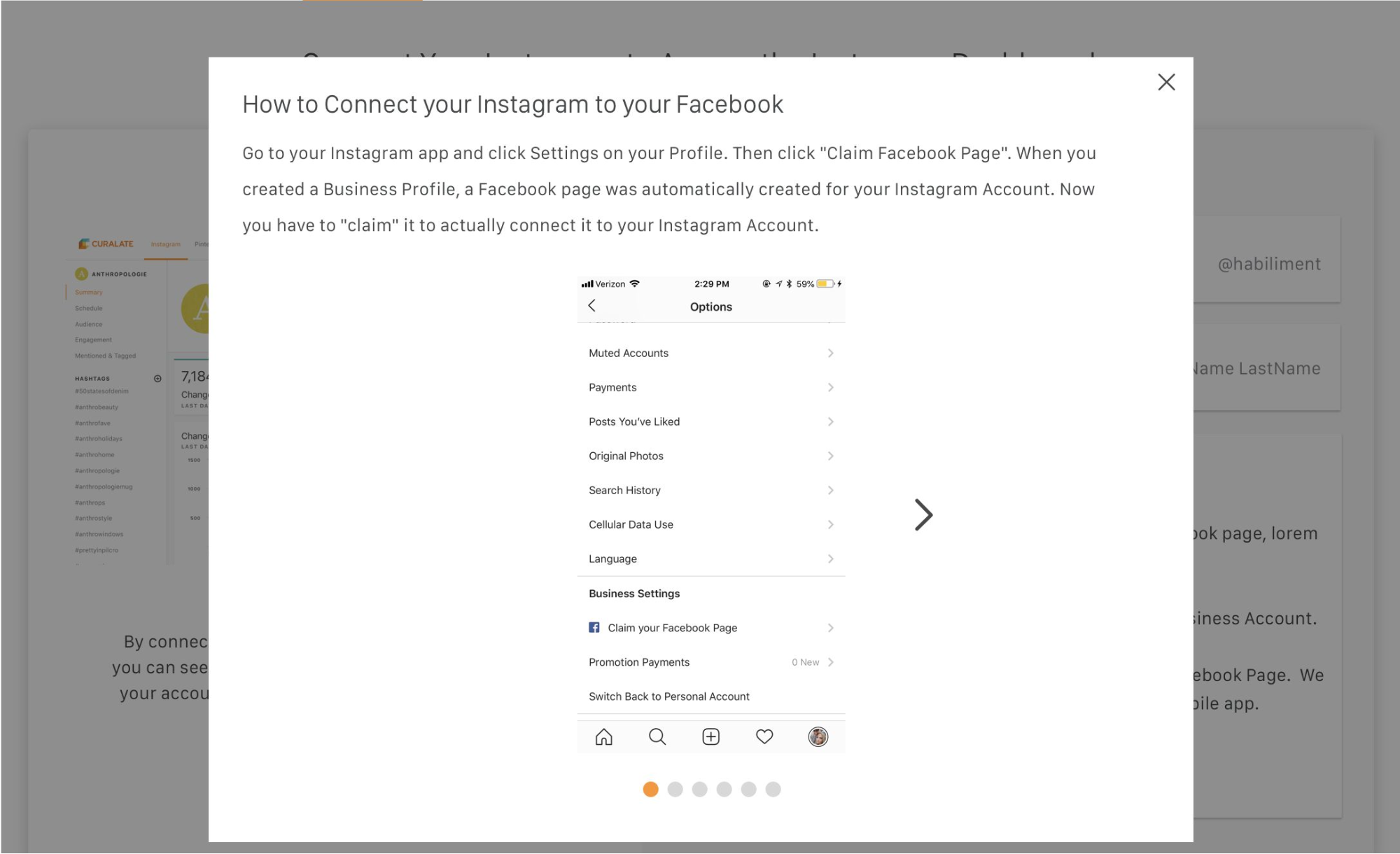
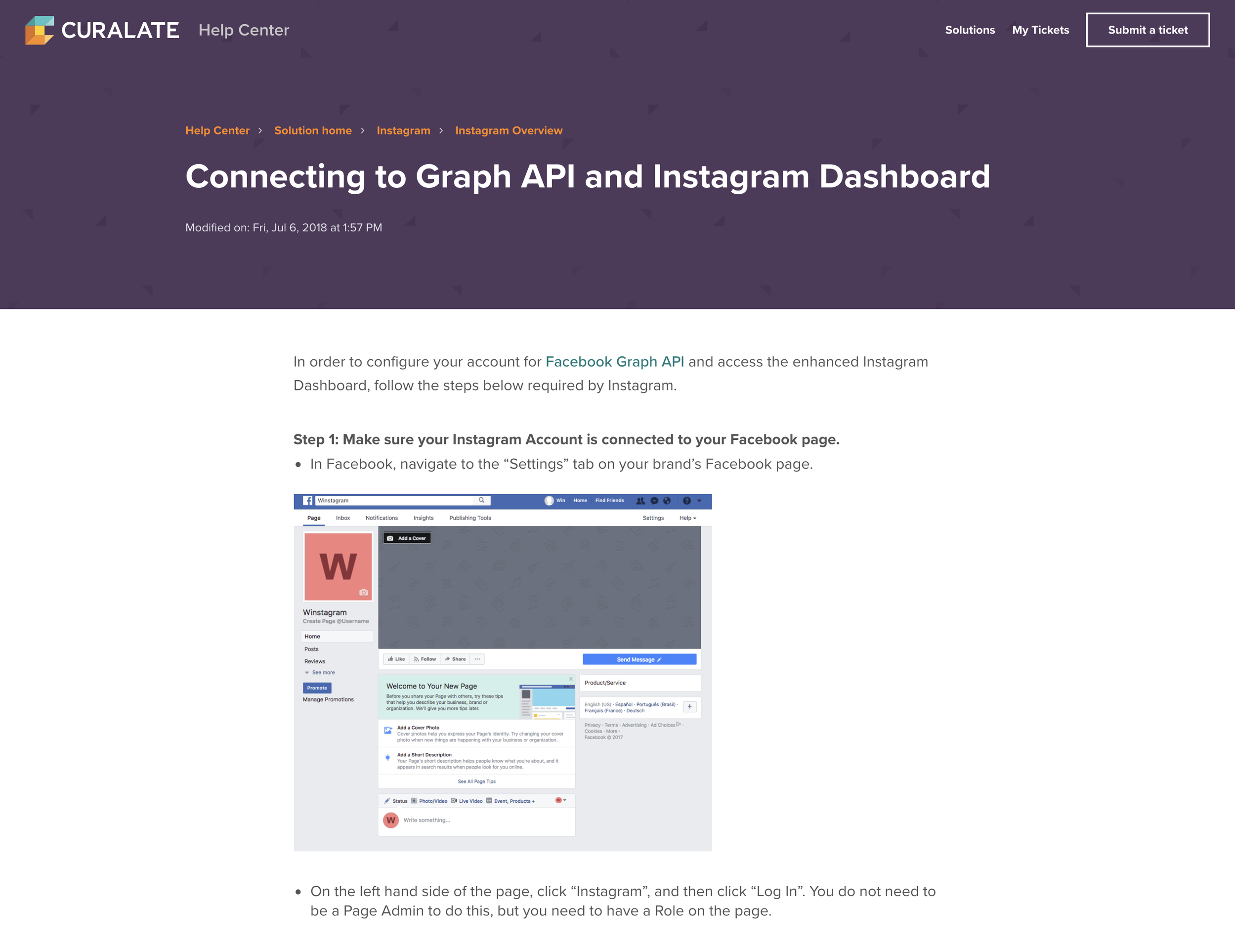
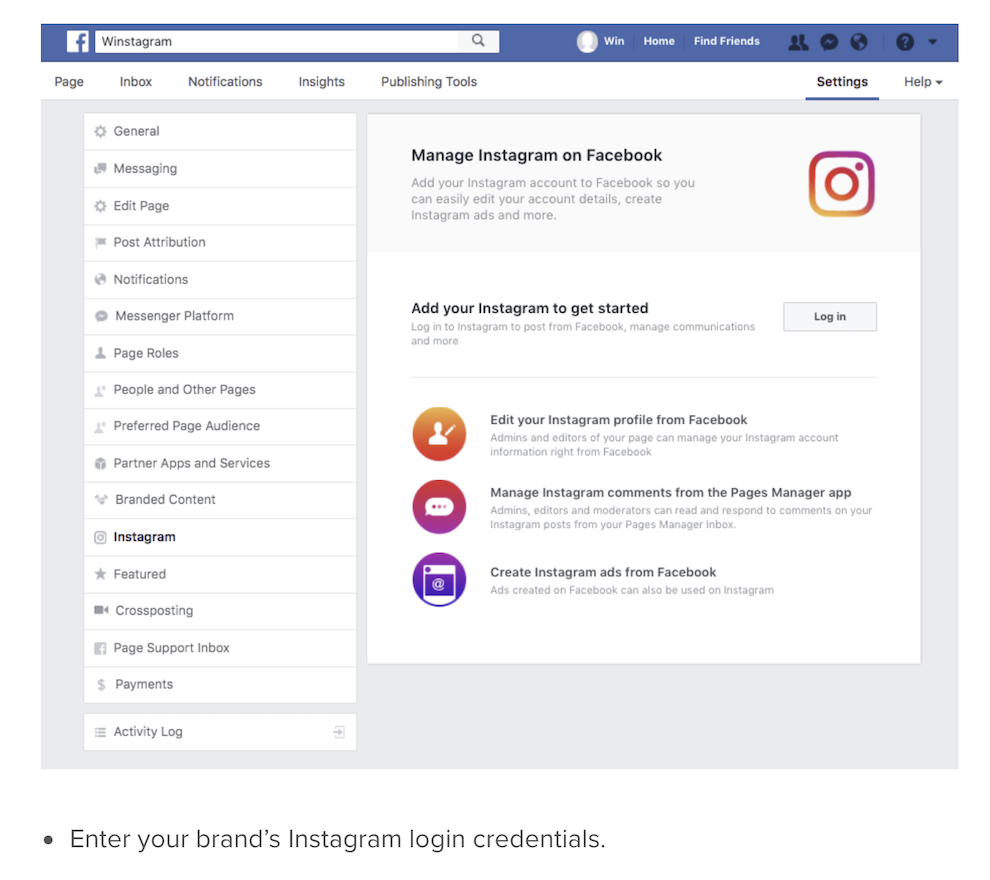
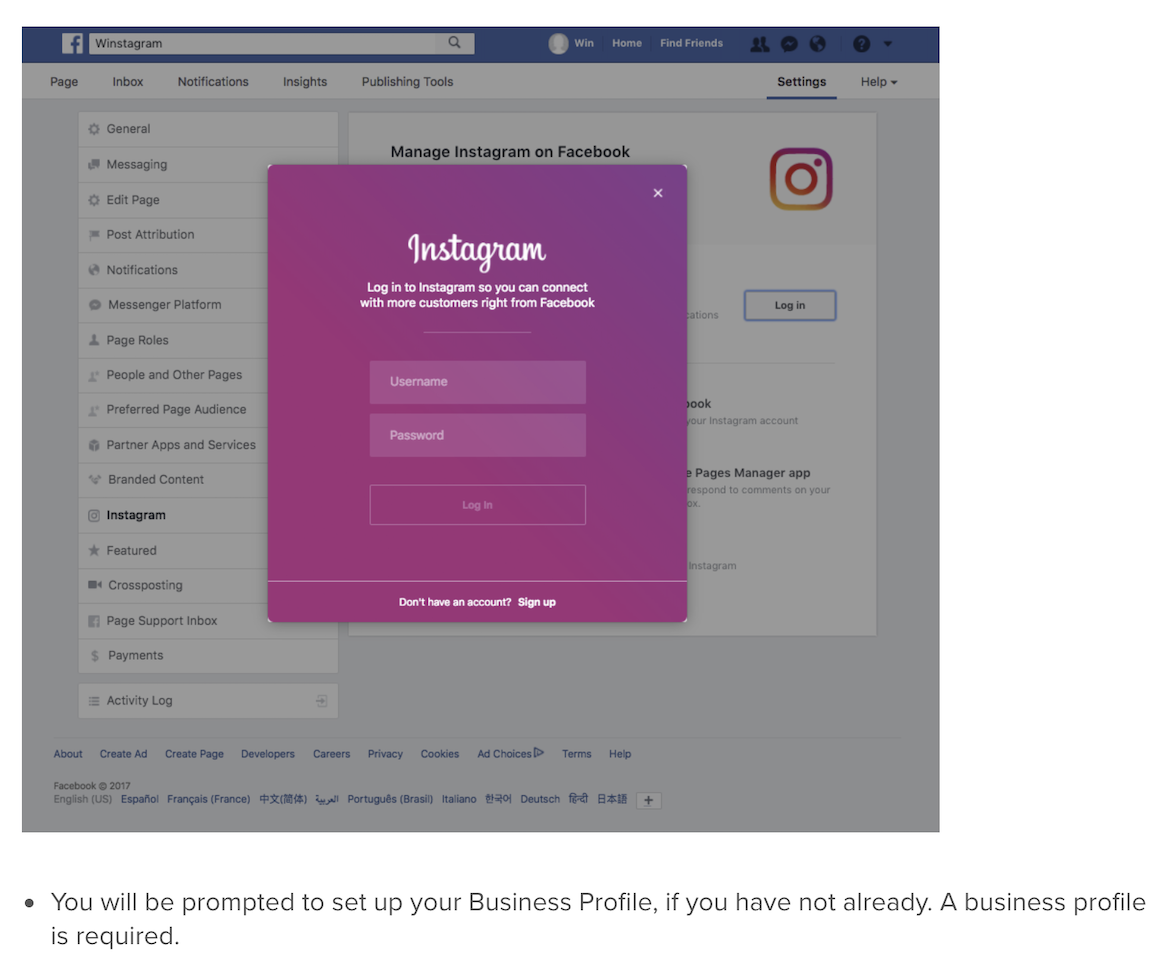
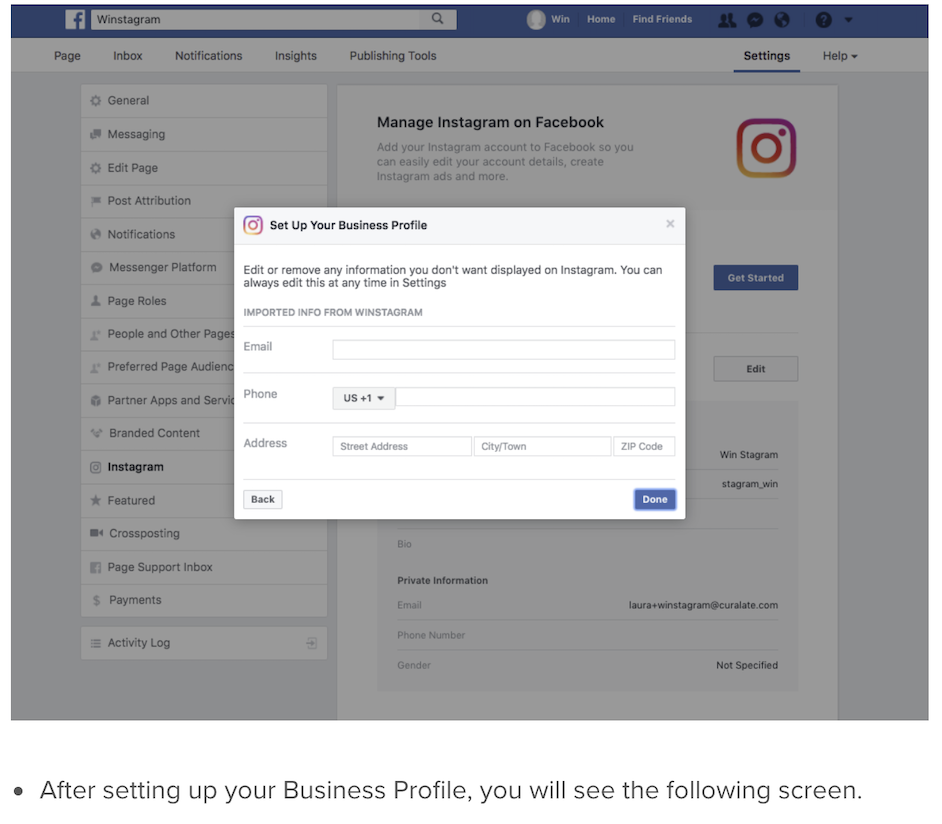
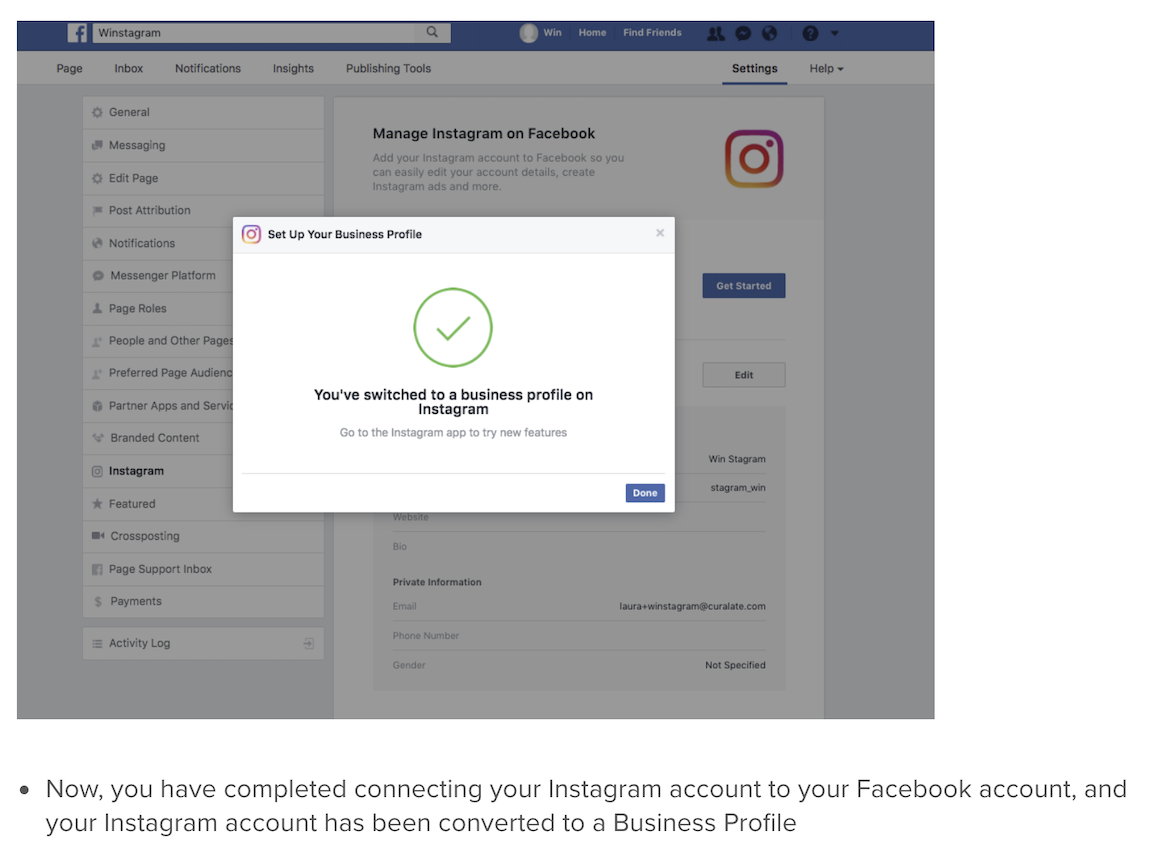
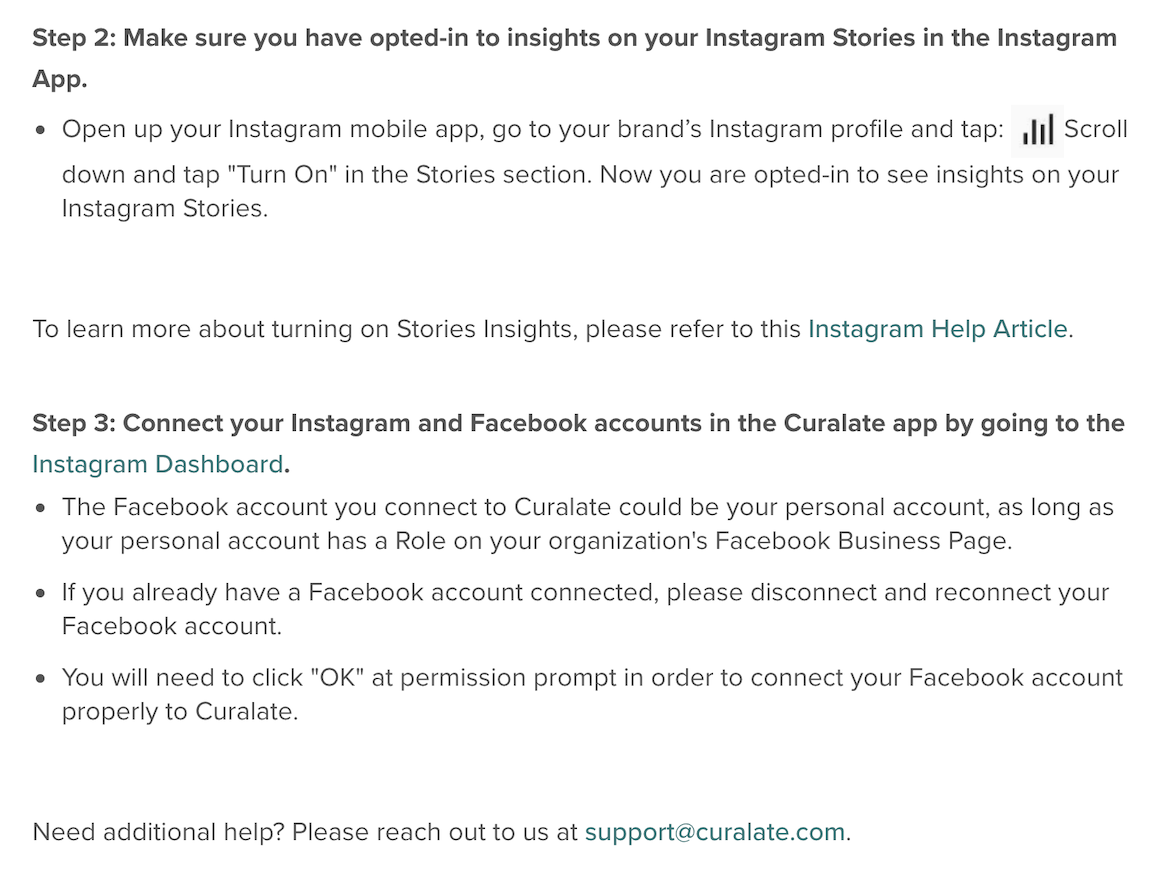
Before connecting their Instagram account, users are unable to access the Instagram Dashboard and are instead met with a text-heavy page that walks them through a highly manual, step-by-step setup process. This flow relies heavily on external help articles, resulting in a disjointed and often frustrating user experience.
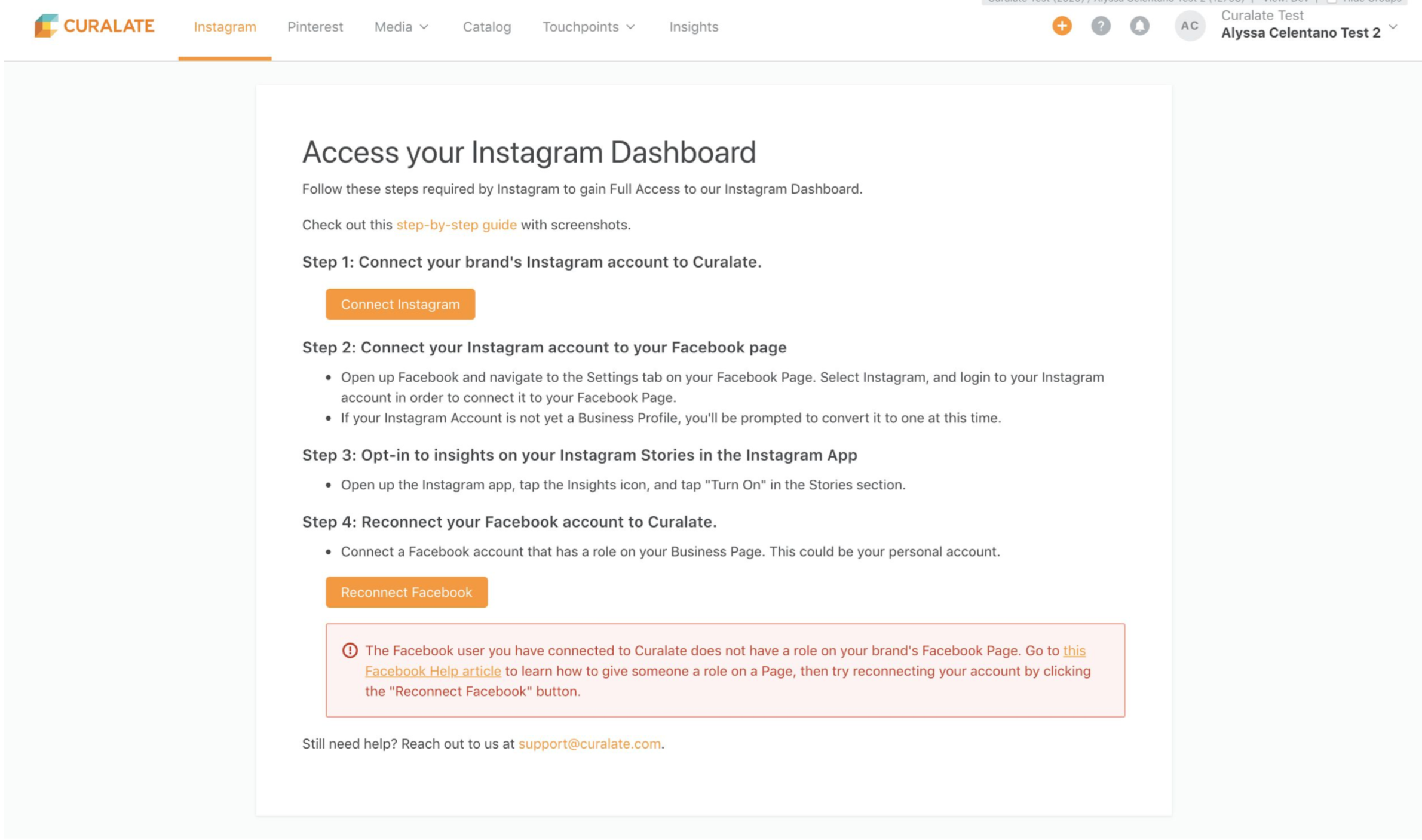
Lengthy Supplementary Onboarding Instructions
The Opportunity
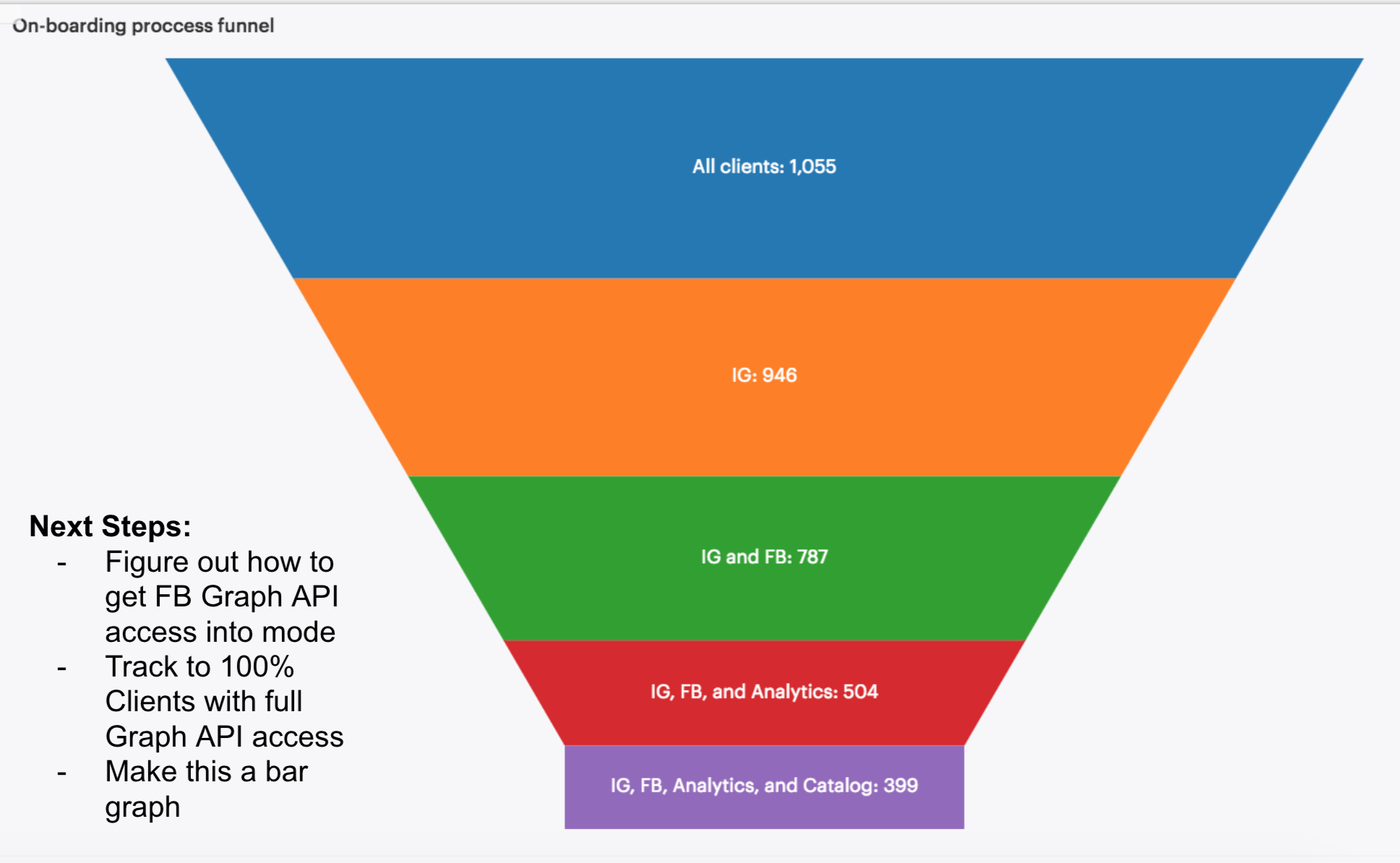
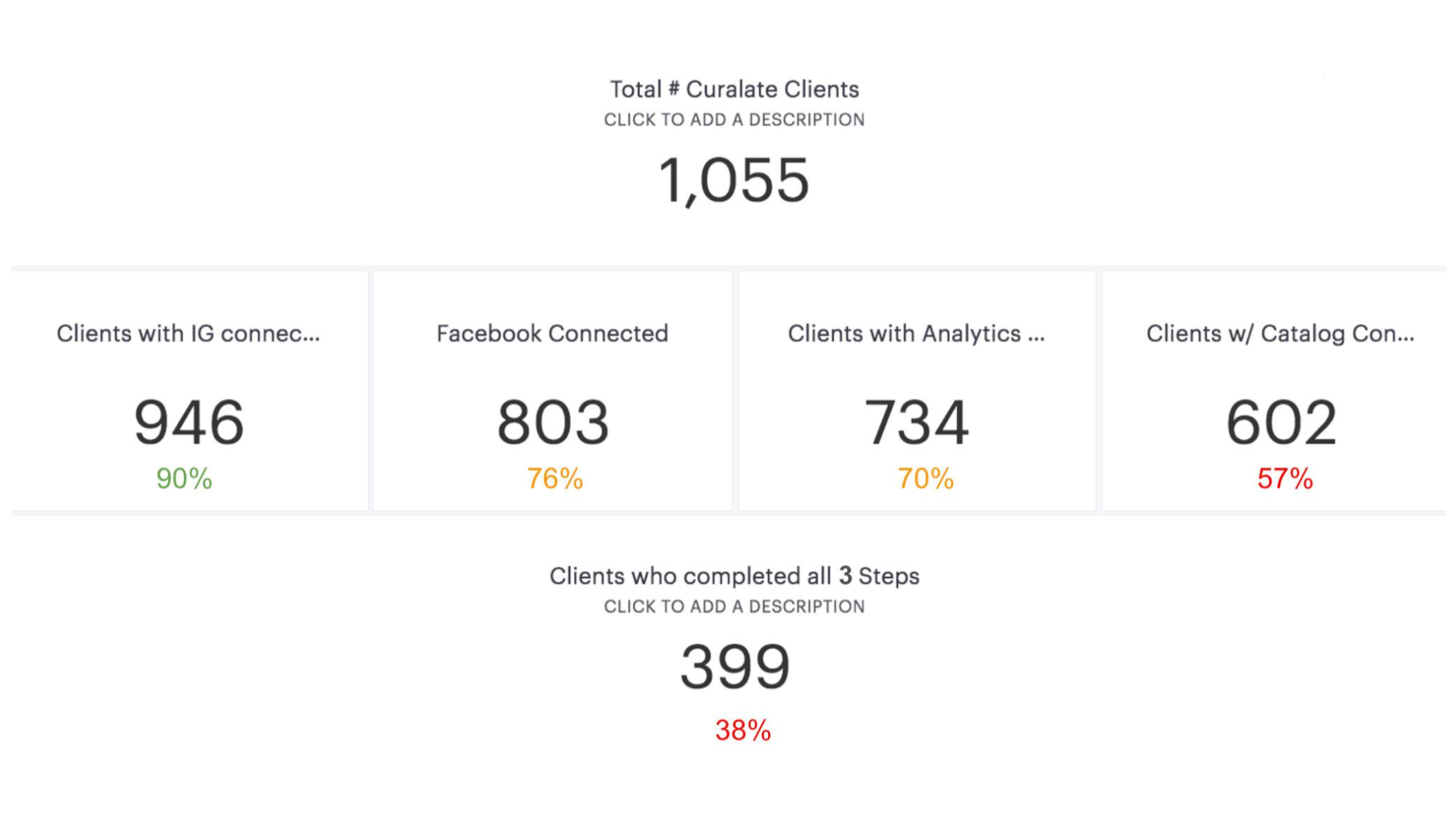
We know that while 90% of our users successfully complete Step 1 (Connect your Instagram account), only 38% of our clients complete all 3 steps.
This means that 62% of our clients are not unlocking the full potential of the Instagram Dashboard.
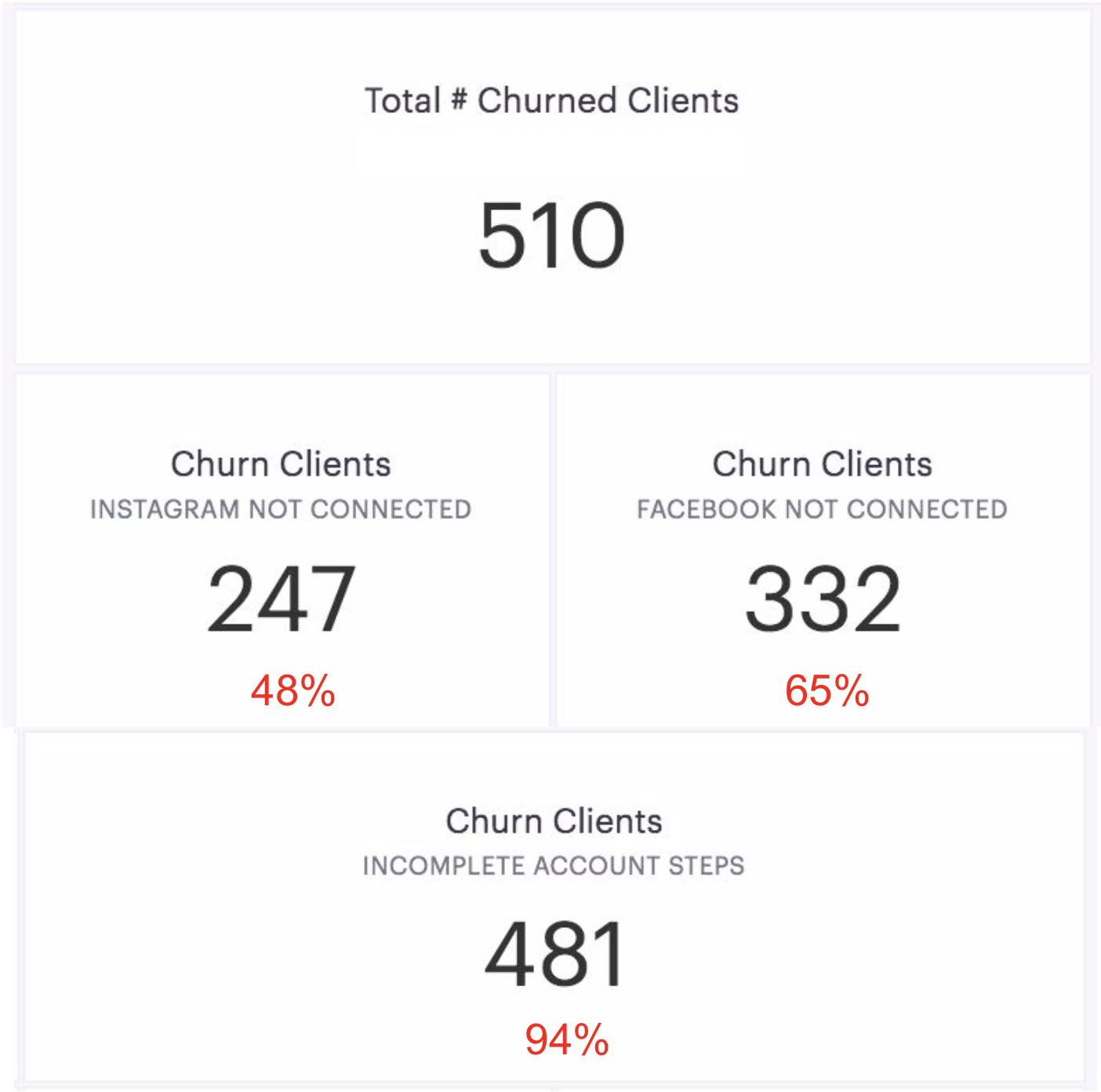
Incomplete set-up steps is correlated with a high churn rate:
Of the churned clients, 48% did not have their Instagram connected to Curalate.
Of the churned clients, 65% did not have their Facebook connected to Curalate.
Of the churned clients, 94% had not completed all of the set-up steps for the Instagram Dashboard.
Current Onboarding User Flow
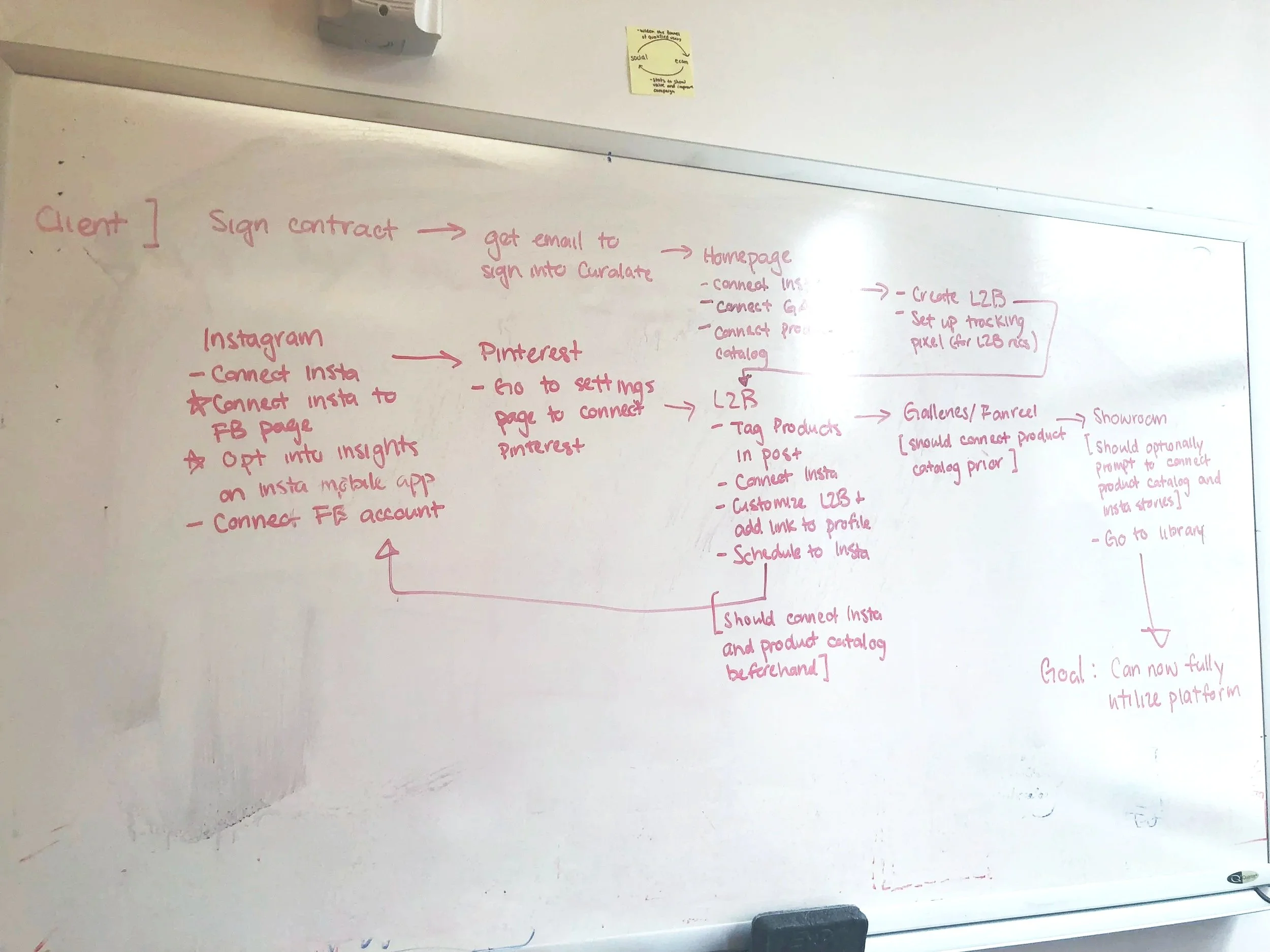
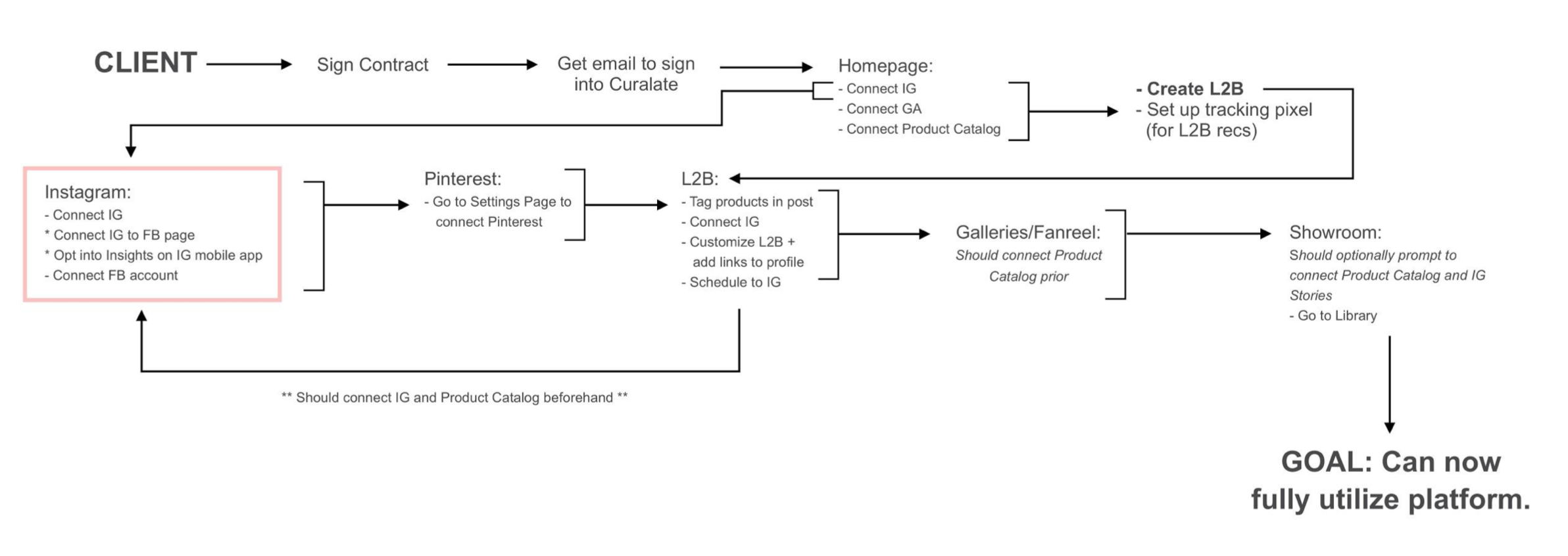
This user flow shows the current user flow for someone onboarding to Curalate.
The highlighted section shows the Instagram Dashboard onboarding experience: it is intricately linked to the rest of the onboarding experience.
New Onboarding User Flow
Goal
Get users to become “fully-activated” in the Instagram Dashboard in a first-run experience.
“Fully-activated” means they have completed all of the set-up steps and perform key actions.
Solution
In order to become “fully-activated” in a first-run experience, we believe we must:
Educate the users on the value of the Instagram Dashboard
Streamline the set-up steps
Show them how to perform the key actions
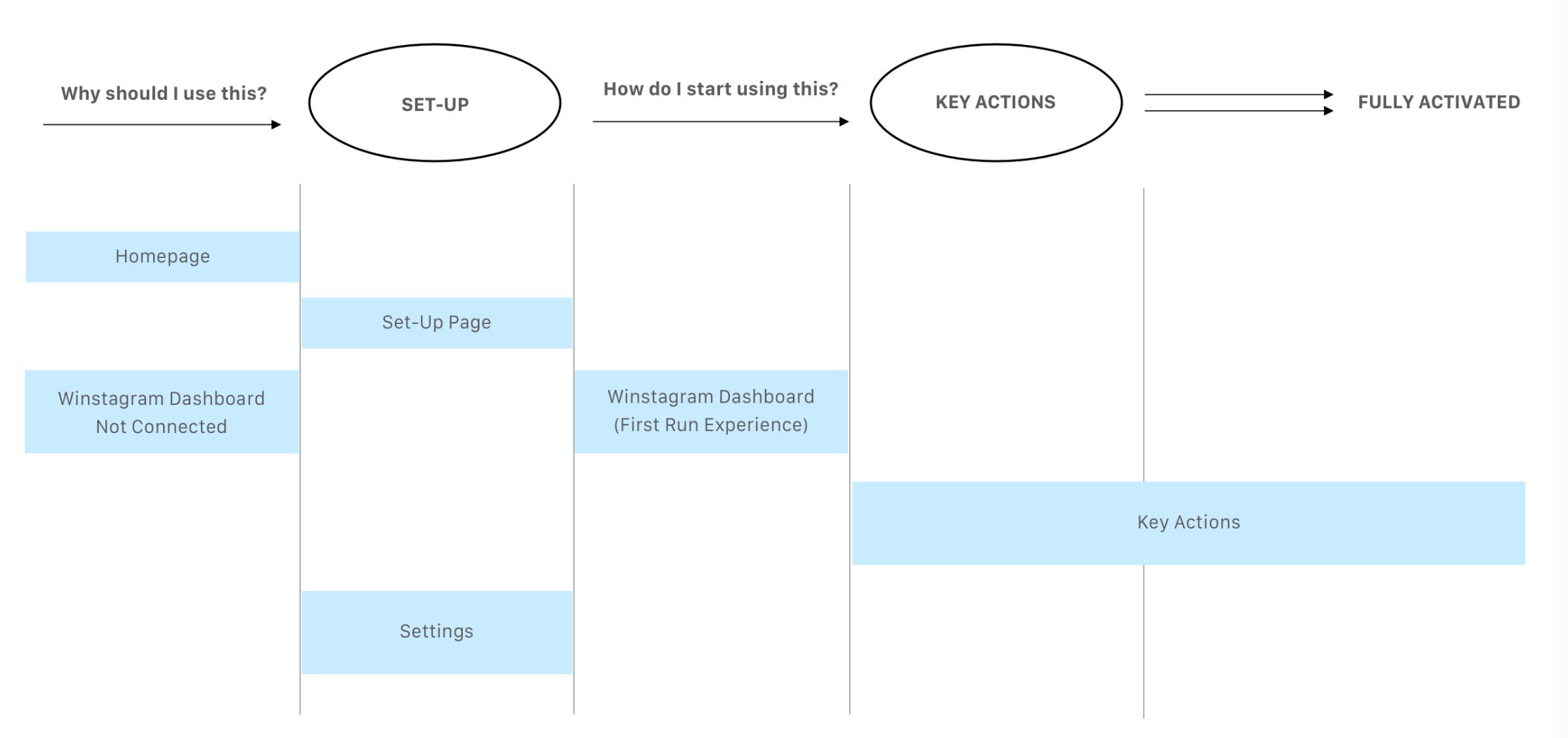
Simplified User Onboarding Journey: Set Up + Key Actions = Fully Activated
Competitive Research
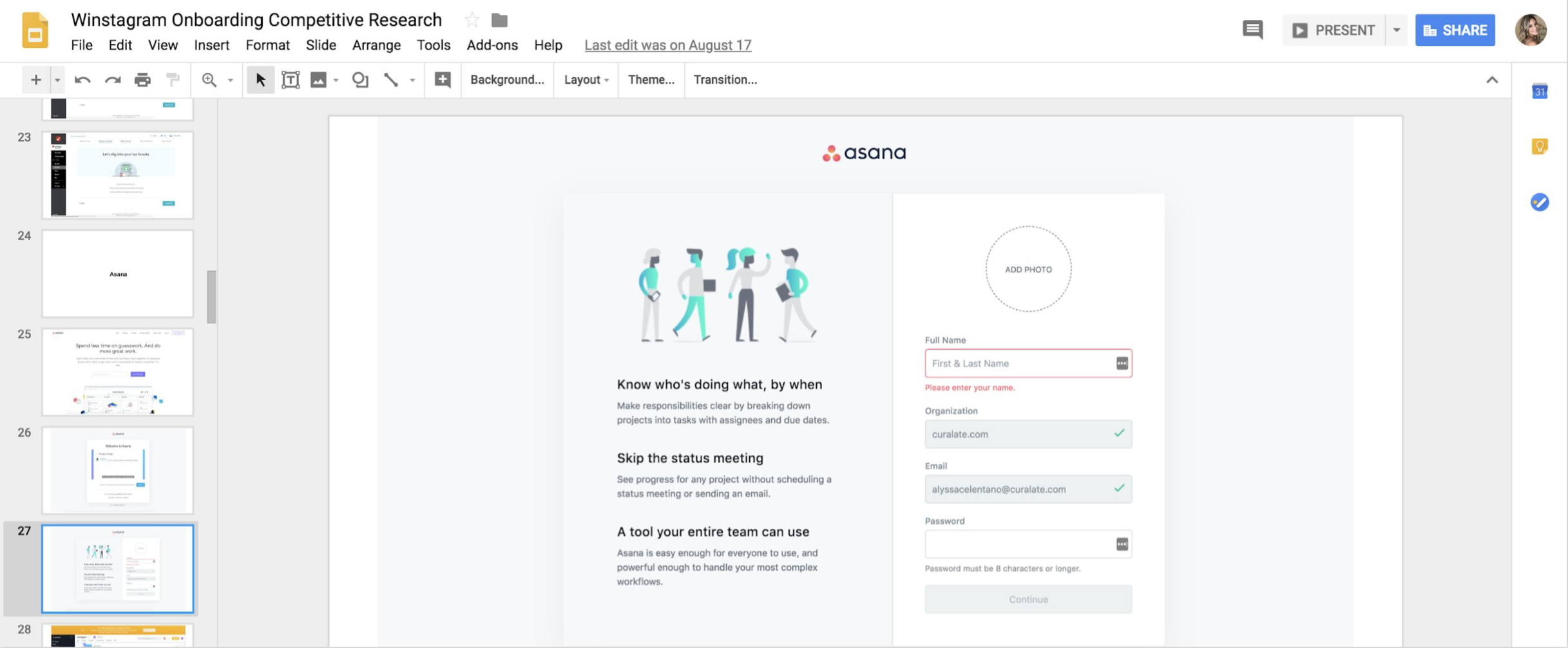
We conducted competitive research to gain an understanding of how other SaaS platforms conduct onboarding experiences. We consolidated this research and pinpointed aspects that were relevant to our UI.
Expert Interviews
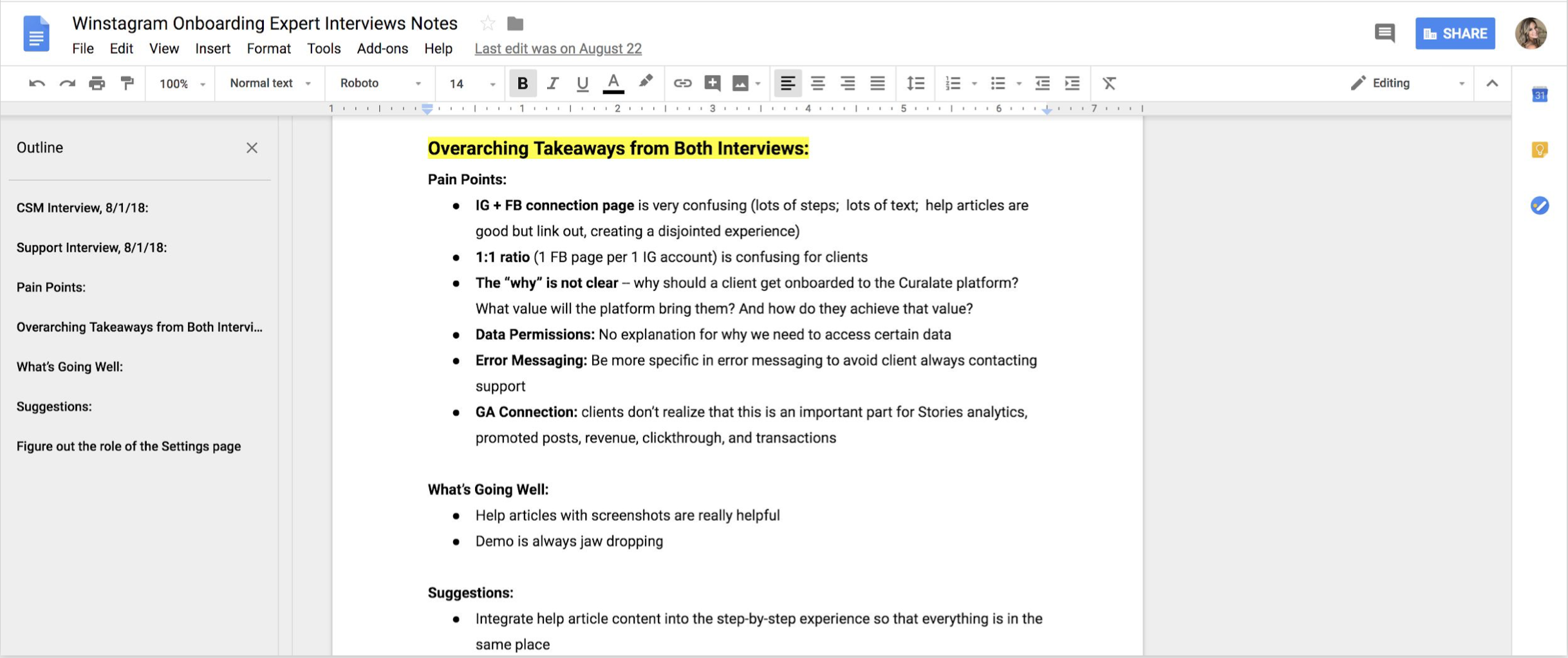
I conducted expert interviews with Curalate’s Client Solutions team, who work closely with clients every da, and the Support team, who handle a high volume of user tickets. These groups provided valuable insights into what users loved about the onboarding experience, where they encountered friction, and which elements were essential to their success.
Sketches
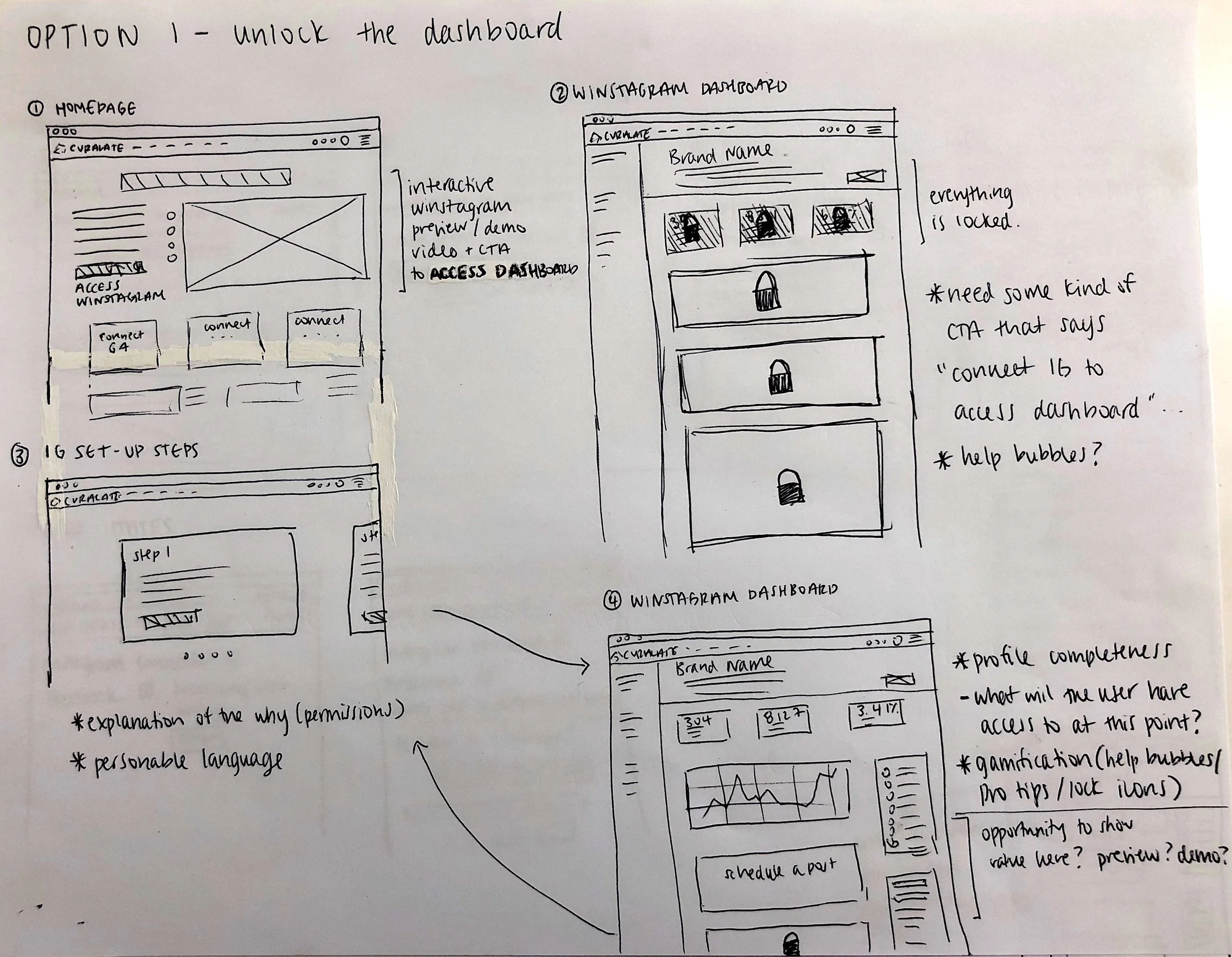
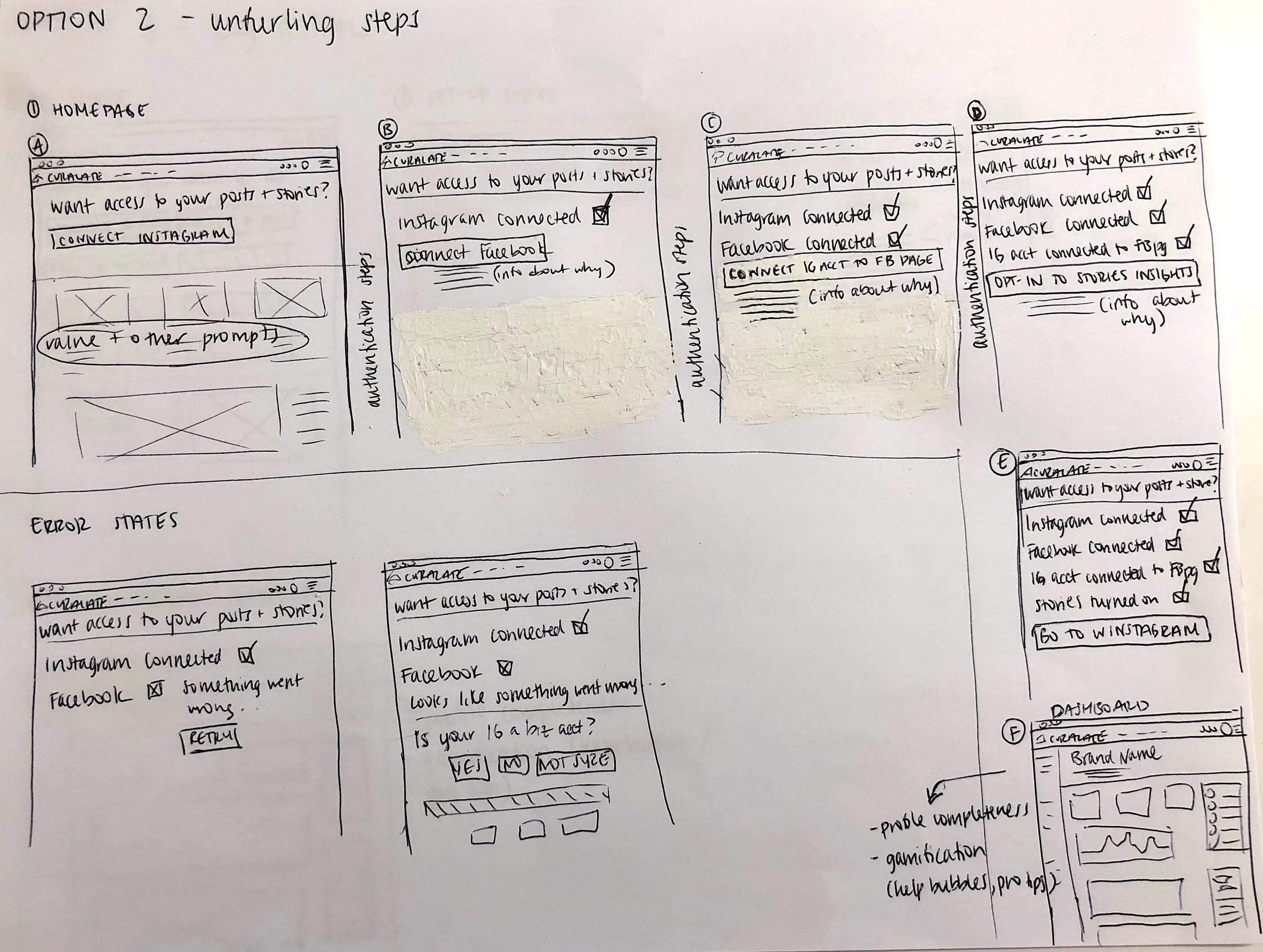
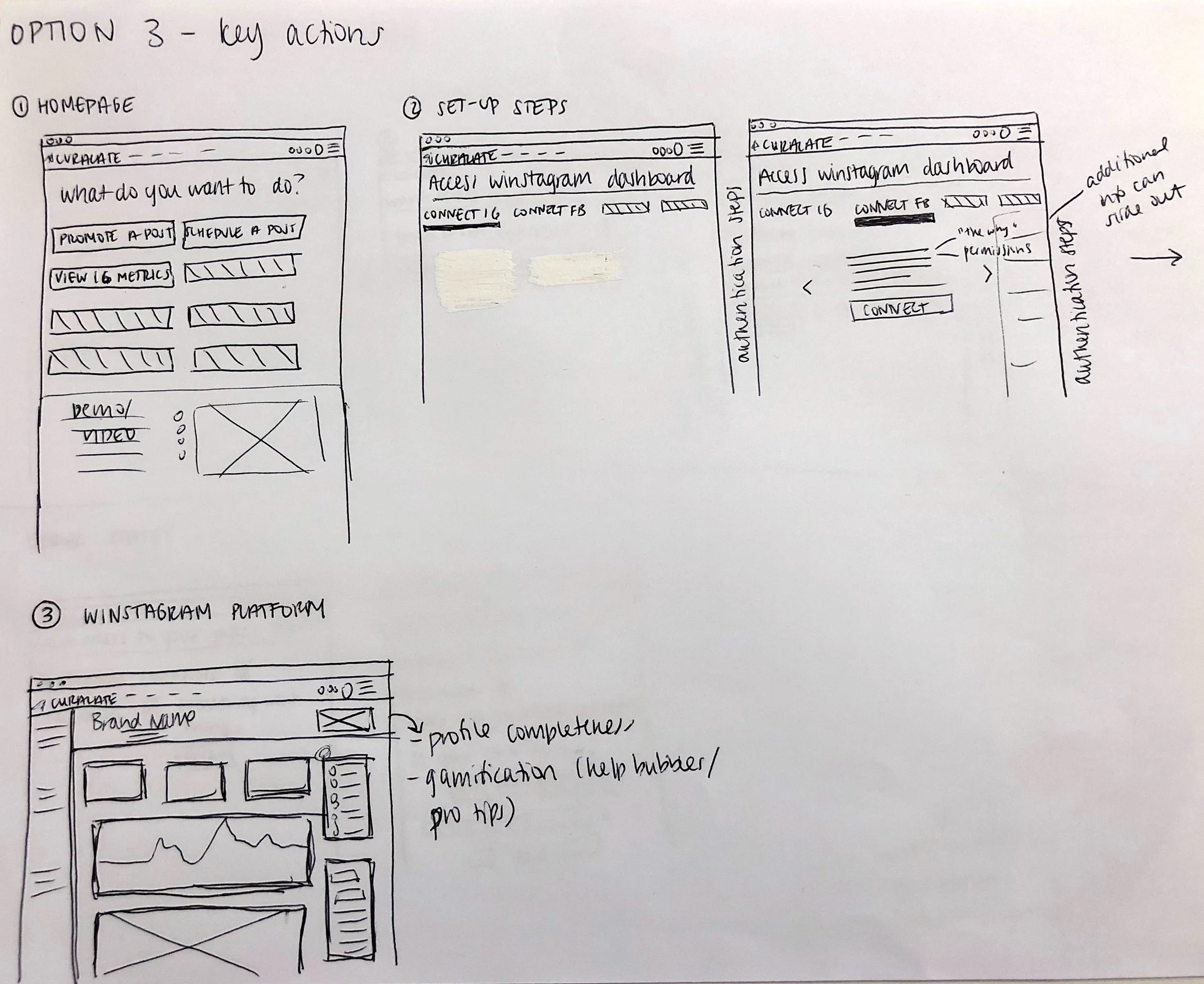
These initial sketches explore three distinct UX approaches.
1) Unlock the Dashboard
Users can access the dashboard before completing setup, but key features remain locked.
This approach leverages the motivation to “unlock” functionality to drive completion.
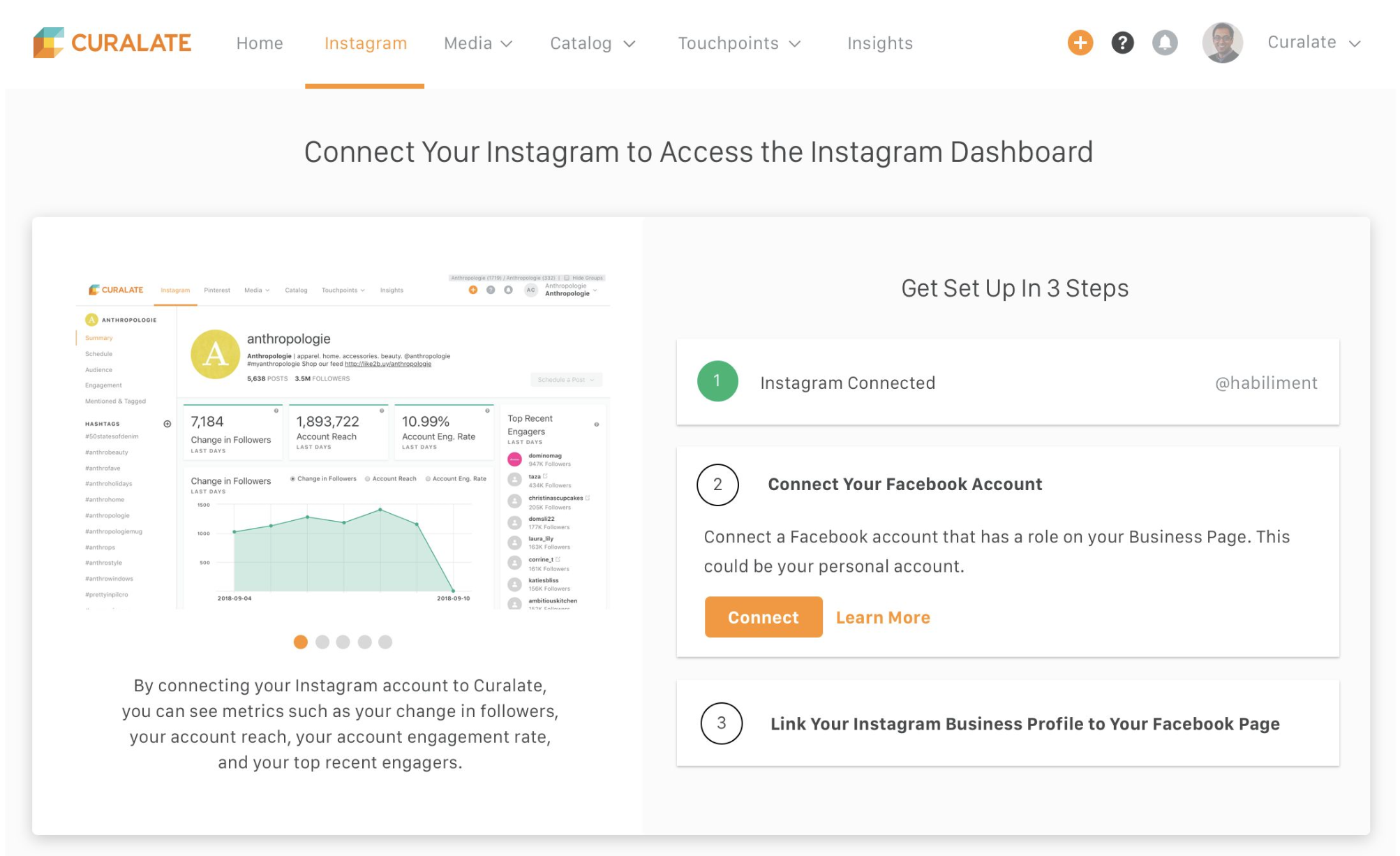
2) Unfurling Steps
Users are guided through setup in a single, continuous flow. Each step is revealed upon completion of the previous one.
This retains user focus and reinforces progress and completion.
3) Key Actions
Users can access the dashboard early but are prompted to take key actions that require setup.
This approach highlights the dashboard’s value upfront to incentivize users to complete onboarding.
Wireframes
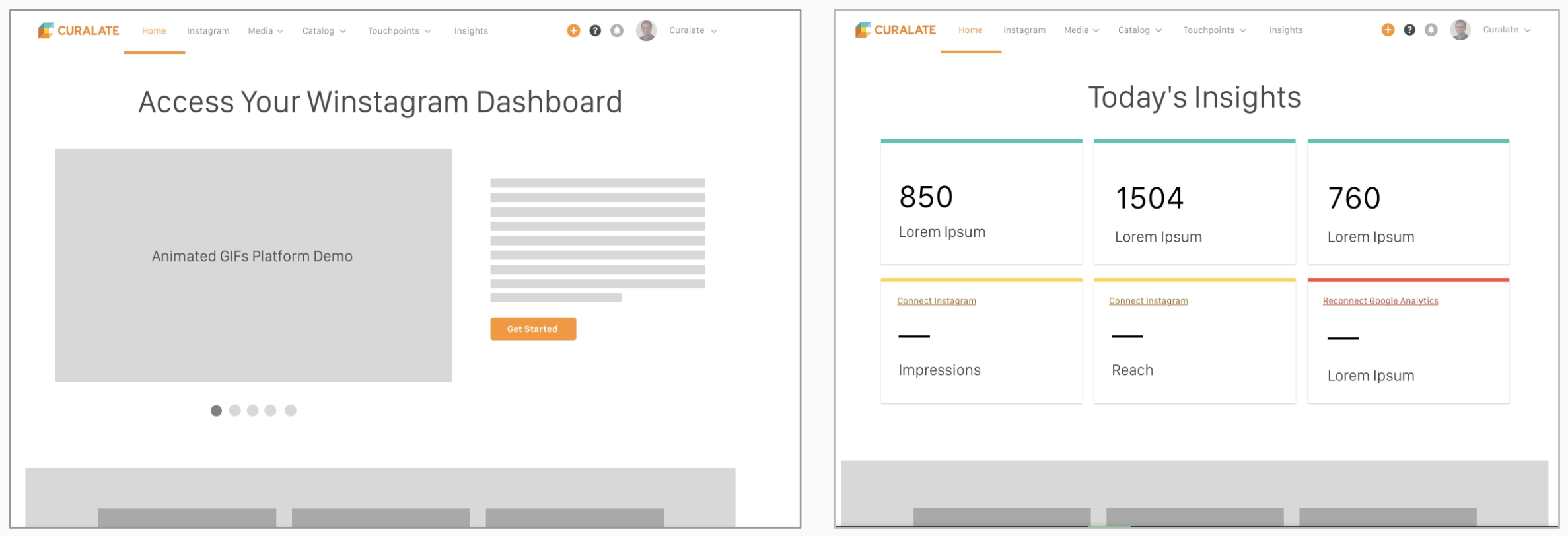
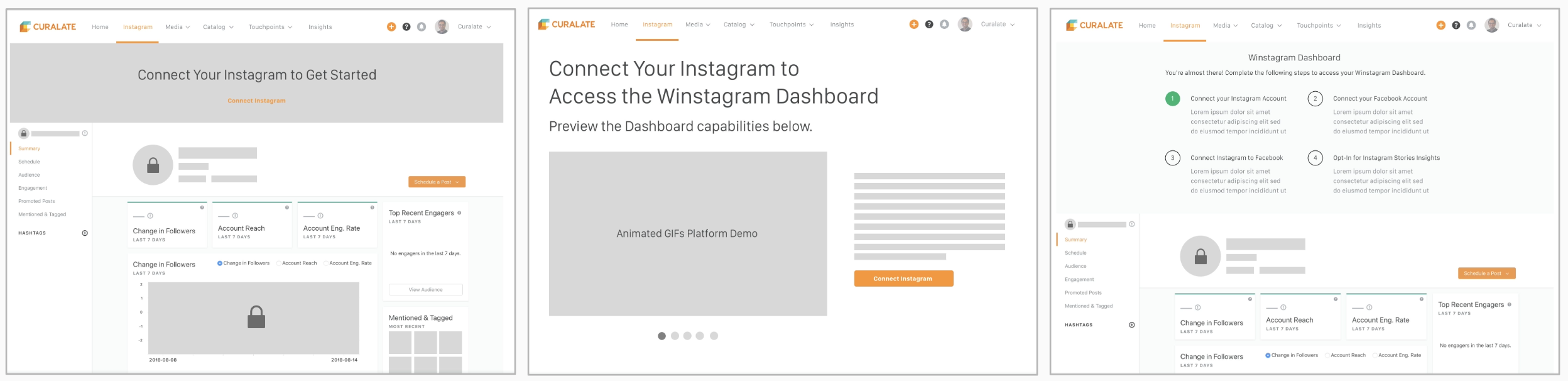
Several wireframes were presented to senior stakeholders and the expert interviewees to determine and refine the final scope.
Homepage Wireframes
Disconnected Dashboard Wireframes
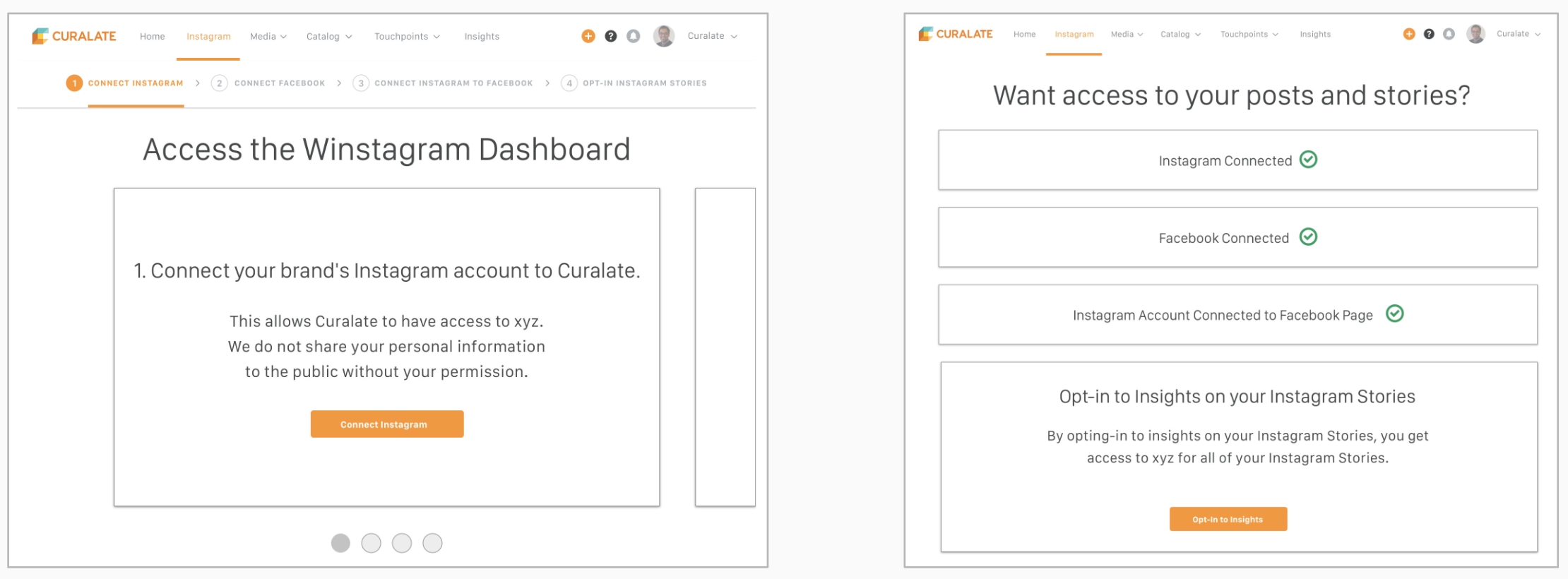
Set Up Steps Wireframes
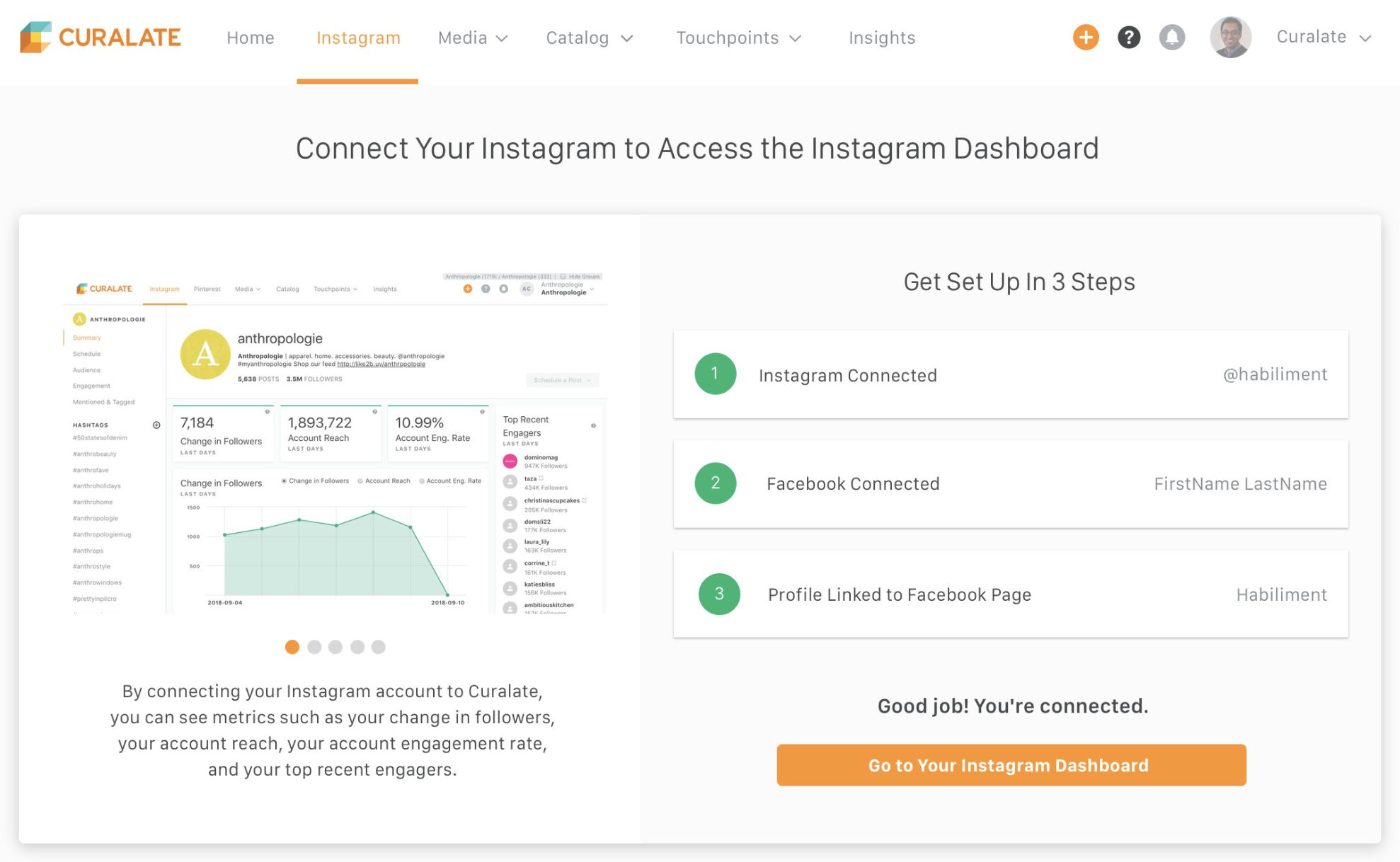
Since we found that the user wants to understand the value of the Instagram Dashboard before completing the set up steps, I designed an interactive demo on the set up page (left). The wireframe on the right shows the unfurling UX of the set up steps.
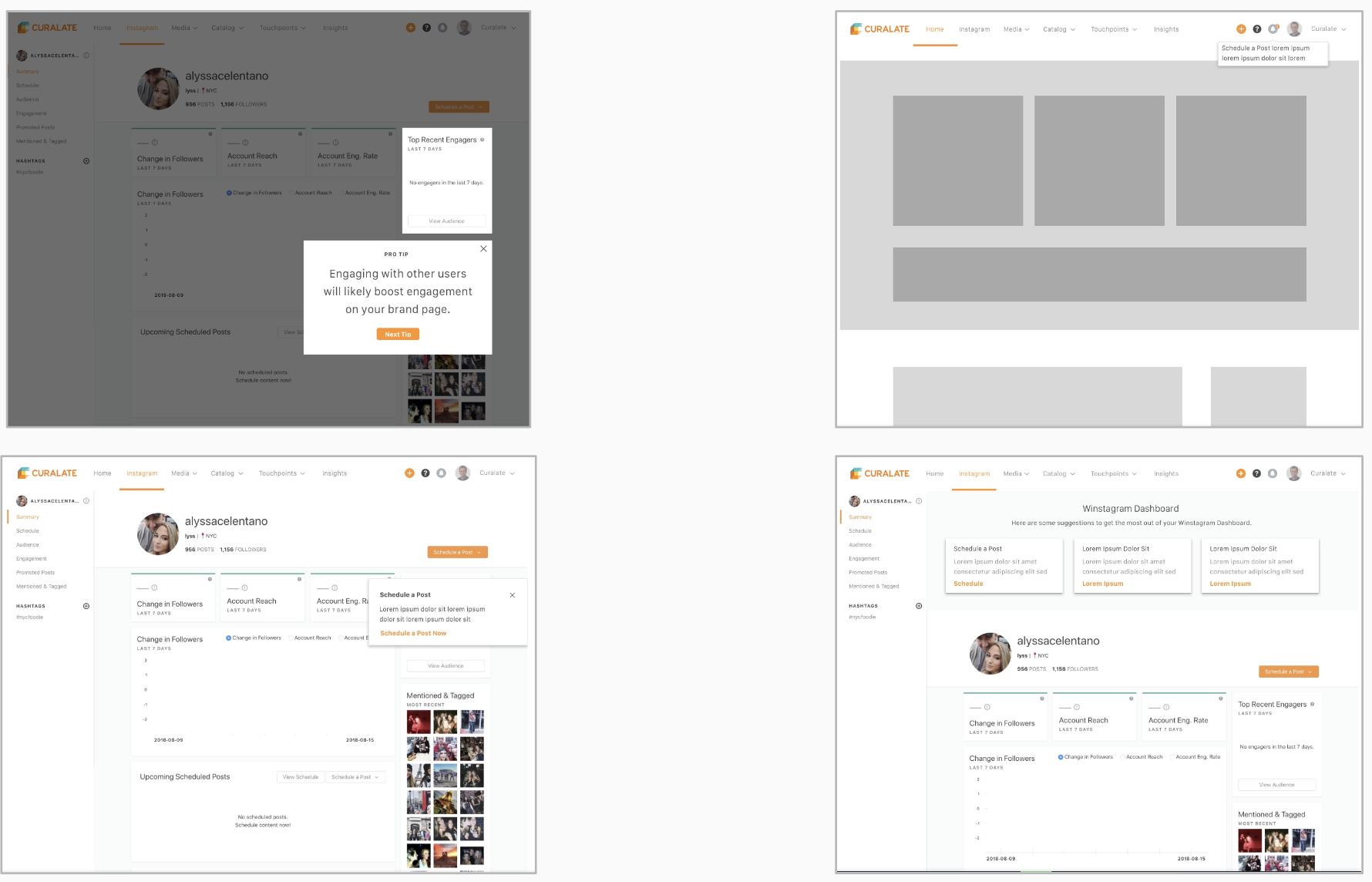
Key Actions Wireframes
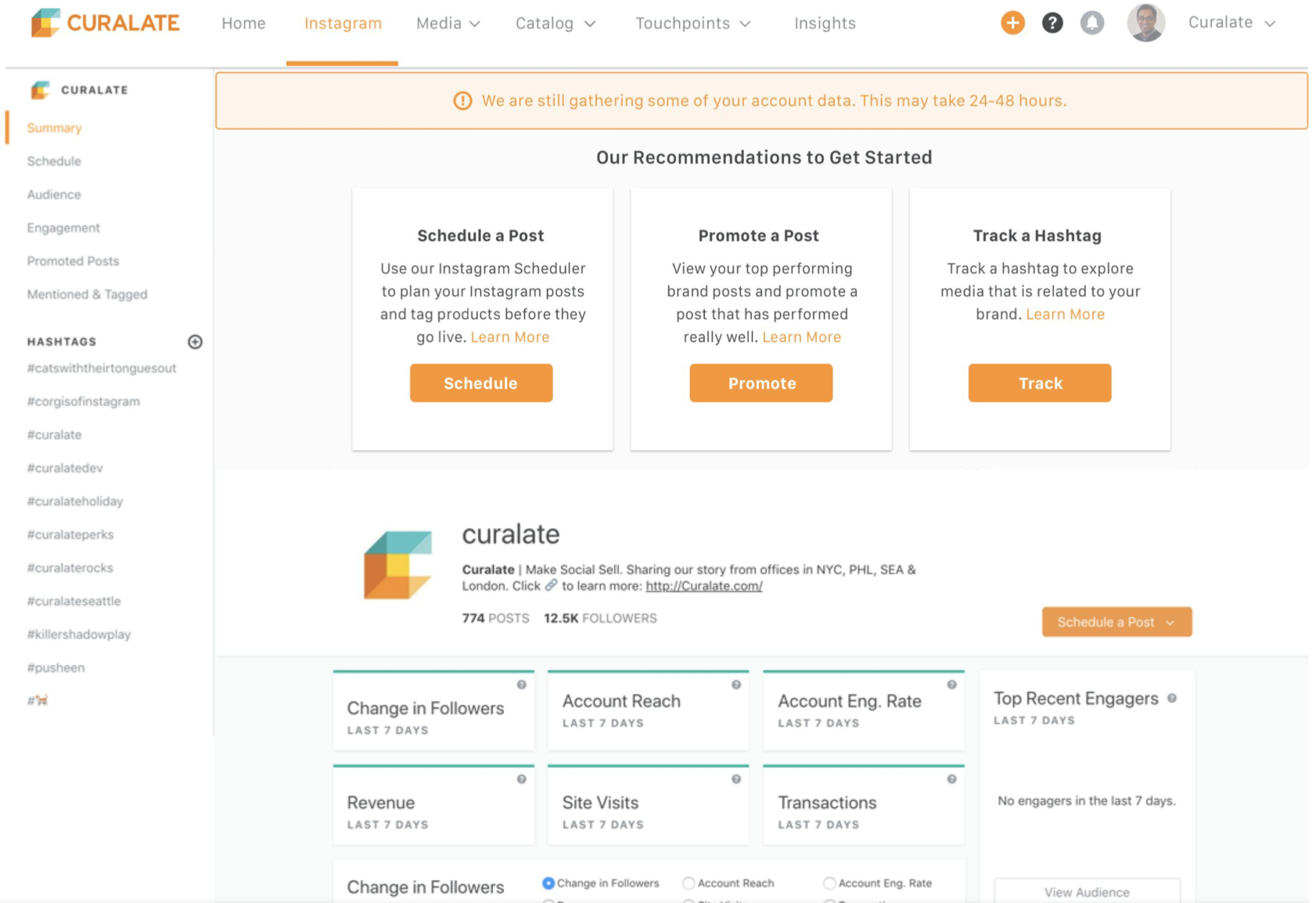
Left: Users will experience a lightbox walkthrough of different features of the dashboard where they can take valuable key actions. They will then be prompted to complete the set up steps if they try to proceed with a key action.
Right: Specific key actions are listed at the top of the Instagram Dashboard. They are not dismissible, so the user is encouraged to take the actions.
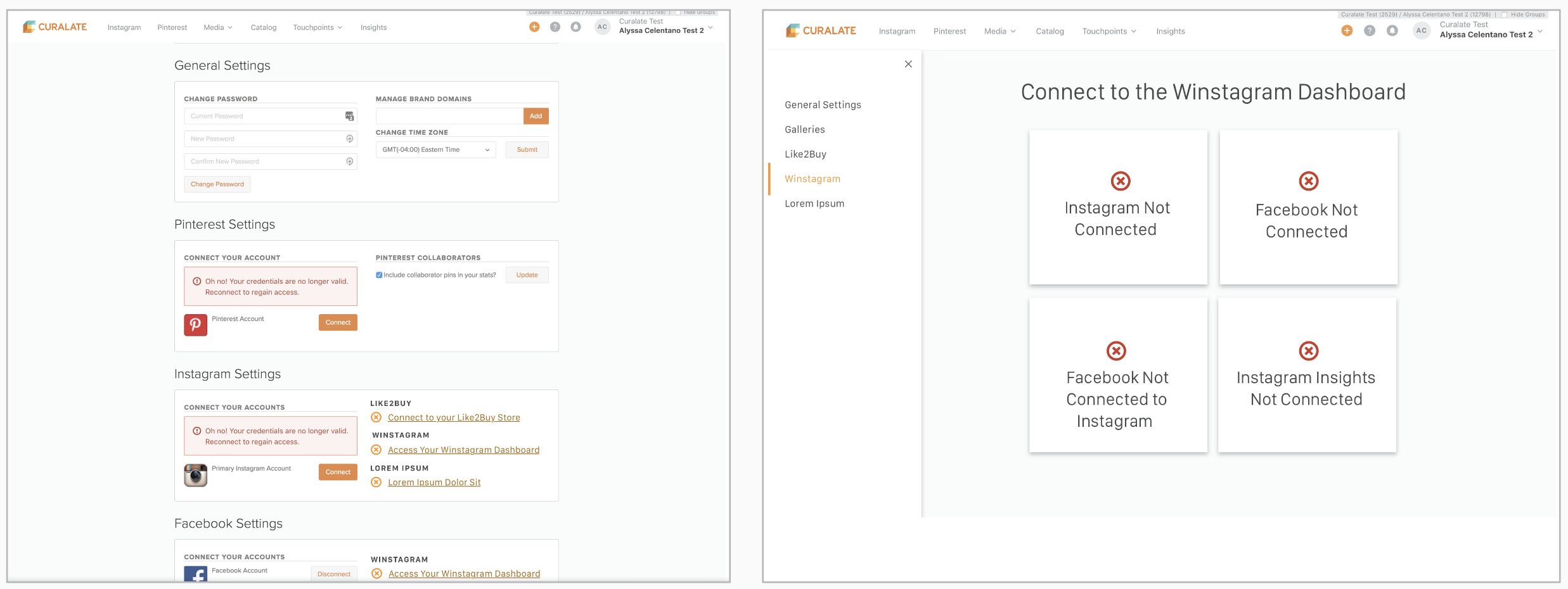
Settings Wireframes
In the user’s settings, we wanted to make their level of onboarding completion explicitly clear, with clear calls to action to complete each step of the process.
High Fidelity Design
We chose to move forward with the unfurling steps approach for the setup flow. To retain the value of the interactive demo, I designed it to sit alongside the step-by-step experience. This allows users to track their setup progress while simultaneously exploring the dashboard’s features, reinforcing both understanding and engagement.
After completing all three setup steps, users are directed to the Instagram Dashboard. At the top of the page, they’re prompted with key actions to take next. Once users begin engaging with these actions, they are considered fully activated on the Curalate Instagram Dashboard.